
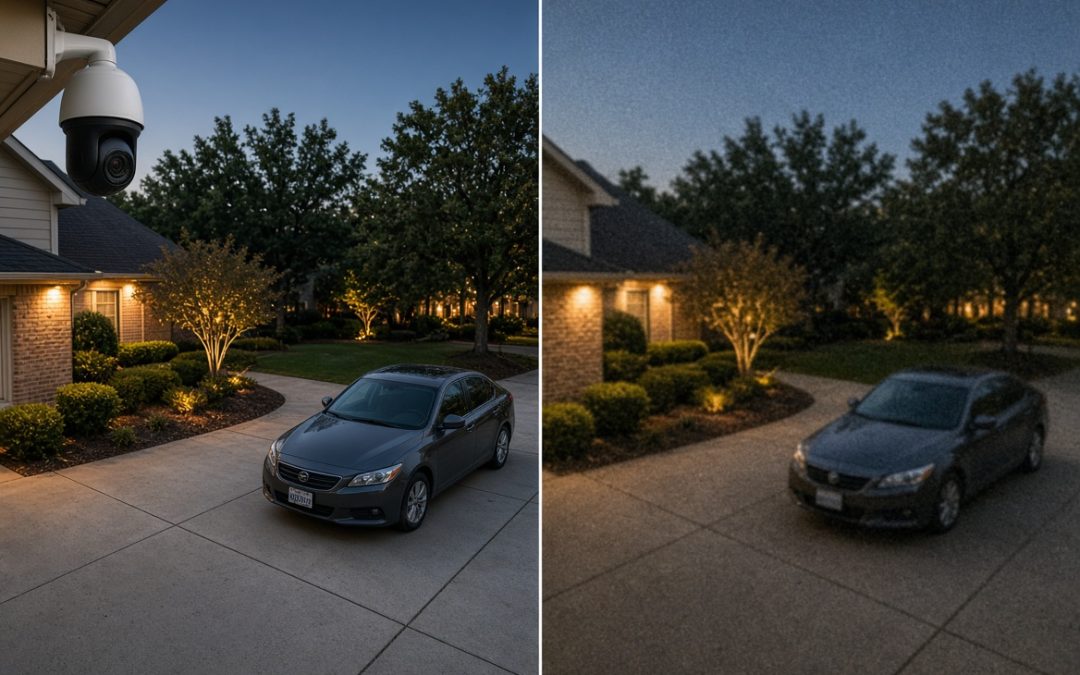
Updated August 26, 2026 | Dr Computer Service & Security Cameras, Houston, TX
Direct Answer
4K security cameras capture four times the pixels of 1080p, which extends usable identification range from roughly 15 feet to roughly 30 feet at the same lens setting. For Houston properties, 4K earns its cost at driveways and entry points. Indoors under 20 feet, 1080p still holds up.
TL;DR
- 4K holds four times the pixels of 1080p, but only double the width and height, so identification range roughly doubles rather than quadruples
- Identification needs about 80 to 100 pixels per foot on the subject, and more than that at night
- A 1080p camera covering a 40-foot driveway delivers 48 PPF, which is recognition at best. The same shot at 4K delivers 96
- After dark, sensor size beats pixel count. A budget 4K camera can lose to a well-built 1080p one
- Eight 4K cameras recording around the clock need roughly 31 TB for 30 days, or about 16 TB with H.265 compression
- Most Houston properties need 4K on two or three positions and something less everywhere else
One liner: Resolution is a lever, not an answer. Point the right camera at the right ten feet.
Key Numbers
| Figure | Value | Source |
|---|---|---|
| 4K resolution | 3840 x 2160, 8MP | Industry standard [1] |
| 1080p resolution | 1920 x 1080, 2MP | Industry standard [1] |
| Identification threshold | 80 to 100 pixels per foot | DCRI scale [5] |
| Recognition threshold | 60 PPF daylight, 80 to 90 at night | Field design guidance [7] |
| 1080p identification range, daylight | 15 to 20 ft | Integrator guidance [2] |
| 4K identification range, daylight | 25 to 35 ft | Integrator guidance [2] |
| Storage, eight 4K cameras, 30 days | About 31 TB, or 16 TB with H.265 | Calculated at 12 Mbps per camera |
| H.265 storage reduction on 4K | Up to 50 percent | Compression guidance [3] |
What Camera Resolution Actually Means
In short: Camera resolution is the pixel dimensions of the recorded image, not a quality rating. The security market runs a ladder from 2MP (1080p) to 8MP (4K), and the number that decides what you can identify is the horizontal pixel count.
A megapixel is one million pixels. Multiply an image’s width by its height and you get the megapixel count that ends up printed on the quote. A 1080p camera records 1920 pixels across by 1080 down, which works out to roughly 2 million, so the industry calls it 2MP. A 4K camera records 3840 by 2160, or about 8 million, so it gets called 8MP or 2160p [1].
| Common name | Megapixels | Pixel dimensions | Horizontal pixels |
|---|---|---|---|
| 1080p, Full HD | 2MP | 1920 x 1080 | 1,920 |
| 4MP | 4MP | 2560 x 1440 | 2,560 |
| 5MP | 5MP | 2592 x 1944 | 2,592 |
| 4K, Ultra HD | 8MP | 3840 x 2160 | 3,840 |
Megapixels vs pixel dimensions
Here is where the sales math gets slippery. Yes, 4K holds four times the pixels of 1080p. But it is only twice as wide and twice as tall [1]. Four times the pixel count buys you double the linear detail, not quadruple the range. Plenty of Houston homeowners read 8MP on a bid, picture footage four times as useful as the system already on the house, and pay accordingly.
That horizontal number in the last column is the one to circle. A 1080p camera spreads 1,920 pixels across whatever sits in its view. Point it at a 20-foot driveway apron and you get 96 pixels for every foot of scene. Point that same camera down a 100-foot lot line and you get 19. One camera, one resolution, two completely different answers about whether you can identify anyone.
Where 5MP and 4MP sit
The ladder is not a two-rung affair. 4MP and 5MP cameras split the difference on cost, storage, and detail, and for a lot of Houston properties they are the better buy. The middle-tier section below puts all four side by side.
One small piece of trivia worth knowing when a salesperson leans on the term: true cinema 4K is 4096 pixels wide. What you are buying in a security camera is 3840. The label is close enough for marketing and imprecise enough to be worth noticing.
What 4K Buys You Over 1080p
In short: 4K adds identification range, room to crop into recorded footage, and wider coverage per camera. It costs more in hardware, storage, and bandwidth. Indoors under 20 feet, 1080p still clears the bar.
Three things get better when you move from 1080p to 4K, and it helps to name them separately instead of lumping them under “clearer.”
- Identification range roughly doubles at the same lens. Double the horizontal pixels means double the pixel density across the same scene width. A face you could identify at 15 feet on 1080p stays identifiable out to around 30 feet on 4K [2].
- You can crop into recorded footage and still have something. Zoom into a 1080p frame after the fact and you hit mush fast. A 4K frame has enough data to survive a meaningful crop, which matters because the detail you need is almost never centered in the shot.
- One camera covers what took two. A single 4K camera can hold a wider scene and still keep usable density across it. Fewer cameras means fewer cable runs, fewer PoE ports, and less labor, which offsets part of the hardware premium [3].
| 1080p (2MP) | 4K (8MP) | |
|---|---|---|
| Identification range, daylight | 15 to 20 ft | 25 to 35 ft |
| Recognition range, daylight | 30 to 40 ft | 50 to 60 ft |
| Detection range | 80 to 100 ft | 120 to 150 ft |
| Coverage per camera | Standard | Wider at equal detail |
| Storage per camera, 24/7 | Lower | 2 to 3 times higher |
| Recorder requirement | Any NVR | 4K-capable NVR |
Ranges assume a fixed lens, daylight, and a clean install. Every one of them collapses at night, which the section on Gulf Coast conditions gets into.
One trap worth flagging before you shop our high resolution camera packages: a 4K camera plugged into a 1080p recorder records at 1080p. The network video recorder, the box that stores everything, has to support the resolution too. We have walked into Houston homes where someone bought four new 4K cameras, kept the five-year-old NVR, and could not understand why the footage looked identical. It looked identical because it was.
Resolution and AI video analytics
Modern cameras and recorders ship with analytics built in: line crossing, loitering alerts, person versus vehicle classification, and plate capture. These features work on the same pixels a human would, so pixel density drives their accuracy the same way it drives yours.
A person walking 50 feet from a wide 1080p camera occupies too few pixels for reliable classification, which is where false alerts come from. The same subject on a 4K camera at that distance carries roughly double the pixel density, and detection accuracy improves accordingly [3]. If you plan to lean on analytics rather than review footage by hand, that shifts the math toward 4K on the positions where alerts matter most.
When 1080p is still the right call
Distance decides this, not budget. Put a camera over a register at eight feet, in a hallway, on a back office door, or at an entry the subject walks straight toward, and 1080p already puts more pixels on a face than you need for a positive identification. Industry guidance is blunt about it: at close range a 2MP camera provides more than enough pixel density for facial identification, and higher resolution adds cost and storage without meaningful benefit at that distance [4].
Spending 4K money on a twelve-foot indoor shot buys you a bigger hard drive and nothing else. Spend it on the driveway instead.
The Number That Matters More Than Resolution: Pixels Per Foot
In short: Pixels per foot, not resolution, decides what you can identify. Divide a camera’s horizontal pixels by how many feet wide the scene is. Identification takes roughly 80 to 100 PPF, and no resolution guarantees it on its own.
A homeowner in Sugar Land swapped four 1080p cameras for four 4K units last year. Same mounting spots, same wide lenses, same angles. The driveway plate was still unreadable. Nothing was defective. The shot needed a different lens more than it needed a different sensor.
Here is the number that explains it.
Horizontal pixels divided by scene width in feet equals pixels per foot (PPF)
PPF, or pixel density, measures how much camera detail lands on each foot of what you are watching [5]. It is the figure professional designers run at every camera position before anything gets mounted, and it is the reason two cameras with identical specs can give you completely different answers.
Detection, recognition, identification: the four thresholds
The security industry sorts camera views into tasks, usually called DORI, which stands for detection, observation, recognition, and identification. Each task needs its own pixel density.
| What you can conclude | PPF needed | What it looks like in practice |
|---|---|---|
| Detection. Someone is there | 20 to 25 | A figure crossing the back yard |
| Observation. What they are doing | 20 to 40 | Clothing color, direction, carrying something |
| Recognition. Someone you already know | 50 to 60 daylight, 80 to 90 at night | Your contractor, a neighbor, a regular delivery driver |
| Identification. A stranger, for evidence | 80 to 100+ | Facial features a detective can work with |
The standards do not agree on exact figures, and honest guidance says so. The US Army DCRI scale used across the industry sets detection at 20 PPF, classification at 40, recognition at 60, and identification at 100 [5]. The European standard EN 62676-4 puts identification closer to 76 PPF and observation near 19 [6]. Field practice adds a night penalty on top: designers typically want 60 PPF or better in daylight and 80 to 90 at night for the same recognition task [7].
Treat the higher end of each range as the target. Cameras rarely perform at their spec sheet after dark, in rain, or through a bug-spotted lens in August.
Now run it on a real shot. Say you want the whole 40-foot width of a driveway and apron in one frame.
| Camera | Horizontal pixels | PPF across 40 ft | What you get |
|---|---|---|---|
| 1080p | 1,920 | 48 | Recognition. You can tell it is the same truck that came by Tuesday |
| 4K | 3,840 | 96 | Identification. A face a detective can work with |
Same mount, same angle, same time of day. The only change is the sensor, and it moves the shot across a practical line. That is the clearest case for 4K anywhere in this article.
Then narrow the shot to only the 12-foot apron where cars actually stop. The 1080p camera now delivers 160 PPF, well past identification. The 4K camera delivers 320, which is more than the task needs.
Both facts are true at once. Resolution matters, and where you point the camera matters more.
Can a security camera read a license plate?
Sometimes, and resolution is the smaller half of the answer.
Plates demand more density than faces, and they move. A car rolling past at 20 mph smears across the frame unless the shutter speed, which is how long the sensor stays open for each frame, is fast enough to freeze it. Fast shutter means less light reaching the sensor, which is why plate capture gets harder at night exactly when you want it most.
A 4K camera on a wide lens watching 60 feet of street will not reliably read a plate, whatever the box promises. It lands near 64 PPF, and it is fighting motion blur on top of that. A dedicated LPR camera, built for automatic number plate recognition and fitted with a long lens and a fast shutter, will read the same plate at 1080p because it is only looking at a 10-foot slice of road.
If plate capture is the goal, that is a separate camera with a separate job. Ask for it by name.
Why digital zoom lies
Digital zoom crops pixels that were already recorded. It magnifies what you have and adds nothing. If a face landed on 30 pixels, blowing it up gives you a larger blurry face.
Optical zoom and varifocal lenses, meaning lenses you can adjust to a narrower or wider view, change the field of view before recording. Narrow the view and the same pixels cover fewer feet, so PPF climbs at the source. That is real detail, captured once, permanently.
This is why “we can zoom in later” is the most expensive sentence in a camera quote.
Work backward instead
Pick the task, look up the PPF, measure the scene, and multiply.
Identification at a 25-foot gate: 100 PPF times 25 feet equals 2,500 horizontal pixels. A 1080p camera cannot get there on that shot. A 4K camera clears it with margin. A 5MP camera on a slightly narrower lens also clears it, for less money.
Run that at every camera position and the resolution question answers itself, position by position. Any installer worth hiring already does this. If nobody can tell you the PPF at your gate, your driveway, and your front door, the design is a guess.
Where 4K Falls Apart: Night, Glare, and Gulf Coast Weather
In short: Every range in this article assumes daylight. After dark, sensor size and lens quality matter more than pixel count, and a budget 4K camera often produces worse night footage than a well-built 1080p one.
Break-ins do not happen at noon. So the numbers that matter are the ones the camera delivers at 2 a.m. in August, with the lens fogged and a car pulling out fast.
Sensor size beats pixel count after dark
Here is the part the spec sheet hides. Resolution tells you how many pixels there are. It says nothing about how big each one is.
The sensor is the chip behind the lens that catches light, and it comes in fixed sizes, usually written as a fraction like 1/2.8 inch or 1/1.8 inch. Pixel pitch is how much room each individual pixel gets on that chip. Cram 8 million pixels onto the same small sensor that used to hold 2 million and every pixel shrinks. Smaller pixels catch less light. Less light means more noise, more grain, and less usable detail exactly when you need it.
That is the whole mechanism, and it explains a result that surprises people: a 4K camera on a cheap 1/2.8 inch sensor can produce worse night footage than a 1080p camera on a larger 1/1.8 inch sensor. Manufacturers who build the good version say so plainly. An oversized 8MP sensor, roughly 12 percent larger than the typical 4K chip, is what buys the low-light advantage, not the megapixel count on the label [8].
So the question to ask is not “is it 4K.” It is “how big is the sensor, and does it hold color after dark.”
This is also why the thresholds above listed a night penalty. Recognition needs around 60 pixels per foot in daylight and 80 to 90 at night [7]. The scene did not change. The camera’s ability to resolve it did.
Why your security camera footage looks blurry
When footage disappoints, resolution is rarely the cause. Ranked by how often we find them on Houston service calls:
- Wrong lens for the distance. The shot is too wide, so PPF was never high enough. The most common cause by a distance.
- Dirty lens. Dust film, pollen, spider webs across the housing, and in this climate a haze of condensation. Spiders love IR housings, they build directly on the glass, and the web lights up like a curtain at night.
- IR range too short. Infrared illumination lights the near field and stops. A camera with 30 feet of IR watching a 60-foot driveway gives you 30 feet of footage and 30 feet of black, whatever the sensor can do.
- Shutter too slow. To gather light at night the camera holds the shutter open longer, and moving subjects smear. It is why the plate you could read at noon is a gray rectangle at 11 p.m.
- Compression set too aggressive. The recorder is throwing away detail to save drive space. The storage section covers the tradeoff.
Notice what is not on that list. Buying a higher resolution camera fixes none of these five.
What Houston weather does to a camera
Gulf Coast conditions put a specific kind of stress on a camera system, and cheap hardware fails here faster than it does in a drier climate.
| Condition | What it does | What to spec |
|---|---|---|
| Attic runs well past 130 degrees | Cable jacket and connector degradation, intermittent drops | Plenum or outdoor-rated cable, junctions out of the attic peak |
| Humidity and condensation | Fogging inside the housing, corroded connectors | IP66 or IP67 housings, gasketed and gel-filled connectors |
| Glare off wet asphalt | Blown highlights, faces silhouetted against bright pavement | True WDR, meaning wide dynamic range, which balances bright and dark in one frame |
| Storm season outages | Recorder down, cameras recording nothing | Battery backup on the recorder and the switch, not only the cameras |
That last row catches more people than the rest combined. Cameras that stay powered while the recorder is dark are decoration.
None of this argues against 4K. It argues for buying 4K on a proper sensor, behind a lens matched to the distance, in a housing built for this coast. A well-specified 4K system is the best outdoor camera you can put on a Houston property. A poorly specified one is an expensive way to record noise.
The Storage and Bandwidth Bill Nobody Quotes You
In short: 4K uses roughly three times the storage of 1080p at the same settings. Eight 4K cameras recording continuously for 30 days need around 31 terabytes, and H.265 compression cuts that close to half.
Camera prices get quoted. Drive capacity usually does not, until the recorder shows up with a 4TB disk in it and starts overwriting your footage in nine days.
How much storage does a 4K camera system need?
Storage comes down to bitrate, which is how much data the camera pushes per second, measured in megabits. More pixels means more data. Here is an eight-camera system recording around the clock for 30 days.
| Resolution | Bitrate per camera | Per camera, per day | 8 cameras, 30 days (H.264) | Same, with H.265 |
|---|---|---|---|---|
| 1080p (2MP) | 4 Mbps | 43 GB | 10.4 TB | 5.2 TB |
| 5MP | 8 Mbps | 86 GB | 20.7 TB | 10.4 TB |
| 4K (8MP) | 12 Mbps | 130 GB | 31.1 TB | 15.6 TB |
Those bitrates sit inside the published ranges for each resolution, roughly 3 to 5 Mbps for 1080p and 8 to 15 Mbps for 4K [3]. The totals are continuous-recording figures, which is the worst case. Published manufacturer numbers for motion-triggered systems run far lower, around 60 to 90 GB per day for four 4K cameras against 20 to 30 GB for four 1080p cameras [9]. Both sets are correct. They describe different recording modes, which is exactly why storage estimates from two installers can differ by a factor of five.
What H.265 changes
H.265, also called HEVC, is a newer compression format that packs the same picture into a smaller file. On 4K footage it cuts storage needs by up to half, which makes the move to 4K cheaper than most buyers expect [3]. H.265+ goes further on static scenes by storing only what changes between frames.
Two conditions apply. The recorder has to support it, and so does every device you plan to watch playback on. An older phone or a browser without HEVC support will hand you an unplayable file at the worst possible moment.
Set retention by risk, not by habit
Thirty days is the default answer. The better question is how long it would take you to notice something happened.
A home occupied daily catches problems within a day or two, and two weeks of retention is defensible. A property you leave for a two-week trip needs enough runway to cover the trip plus the time to review it. A business with inventory shrink might not spot a pattern for six weeks, and 30 days of footage means the earliest evidence is already gone.
Motion-triggered recording stretches every one of those numbers, and for most residential properties it is the sensible default [9].
Upload speed and remote viewing
This one surprises people. Watching your cameras from your phone pulls video out of the house through your upload speed, which is the smaller half of most internet plans. Under about 10 Mbps of total upload, running several 4K streams for remote viewing stops being practical [9].
The fix is already built into most systems and rarely explained. Cameras send two streams: a full-resolution mainstream that the recorder stores locally, and a lower-resolution substream that the phone app pulls. You watch the small one live. The evidence-grade file stays on the drive at home. Resolution never leaves the property, so a modest upload plan is not a reason to skip 4K.
One last item that belongs in every quote: the drive itself has to be surveillance-rated, meaning built for continuous writing. A desktop drive in an NVR runs hot, writes nonstop, and fails early, usually without warning.
And if the storage math is the thing standing between you and 4K, there is a middle path. Running 4K on the shots that need identification and 1080p on the shots that only need awareness cuts the bill hard. The zone method below lays out how to divide them.
Is 4K Worth It? The Honest Cost Breakdown
In short: 4K is worth it where identification matters and the distance runs past about 20 feet. The premium is not only the camera. It is the camera, a recorder that can handle 4K, and more drive capacity to hold the footage.
The camera line on a quote is the part everyone compares. It is also the smallest part of what changes when you move up to 4K.
The three line items
| Line item | Moving from 1080p to 4K |
|---|---|
| Camera | Higher unit cost per camera, the visible part of the premium |
| Recorder | Needs 4K capability and enough processing headroom for every channel at full resolution |
| Storage | Roughly three times the capacity for the same retention, or half that with H.265 |
| Cable, mounting, labor | No change. Identical work either way |
That last row is the one worth sitting with. Running cable, mounting a housing, aiming a lens, and configuring a channel cost the same whether the sensor behind the glass is 2MP or 8MP. Which means choosing 4K at install time costs a fraction of what it costs to swap cameras in two years and pay the labor twice.
A word on the prices you may have seen while shopping. Published consumer figures put 4K cameras around $150 to $300 and 1080p models around $40 to $100 [3]. Those are retail prices for DIY cloud cameras, and they do not translate to a professionally installed system running over ethernet with a local recorder. Different hardware, different lifespan, different answer.
Our own Houston camera packages start at $950 with installation included, and financing options are available if the up-front number is the obstacle.
The future-proofing argument
The industry is drifting toward 4K as the default, and analytics software keeps getting more useful on denser footage. Since labor costs the same either way, a camera you install today is a decision you live with for five to eight years.
That does not mean buying 4K everywhere. It means buying it now on the positions where you would regret 1080p later, because replacing a camera means paying installation twice for the same hole in the soffit.
Ask a better question
“What does a 4K system cost” is the wrong question. “Which positions justify 4K” is the right one.
Most properties have two or three shots where identifying a stranger genuinely matters: the driveway, the main entry, the side gate. Everywhere else is awareness. Knowing someone crossed the back yard at 3 a.m. does not require a face. Spec the identification zones at 4K, spec the awareness zones at 1080p or 5MP, and the total lands well under an all-4K system while outperforming an all-1080p one on the shots that would ever end up in an investigation.
When the answer is no
Sometimes the honest answer is that 4K is the wrong purchase.
If the budget covers four 4K cameras or eight 1080p cameras and your property has eight positions worth watching, take the eight. Industry guidance is direct about this tradeoff: if the choice comes down to resolution against coverage, eliminate blind spots first, then upgrade specific cameras to 4K later [9]. A gap in coverage is a total failure at that spot. Lower resolution is a partial one.
The same goes for short indoor distances, where 1080p already clears the identification threshold on its own.
The verdict
Yes on the driveway. Yes on the gate and the main entry. Yes anywhere a plate or a stranger’s face is the point of the camera.
No in the hallway, no over the register at eight feet, and no anywhere you are buying pixels you cannot use.
5MP vs 4K: Is the Middle Tier the Better Buy?
In short: 4MP and 5MP cameras sit between 1080p and 4K on cost, storage, and detail. On a 30-foot scene a 5MP camera clears the identification threshold that 1080p misses, at about two thirds of 4K’s storage bill.
The whole internet frames this as two choices. There are four.
| Resolution | Horizontal pixels | PPF across a 30 ft scene | Storage vs 4K | Where it fits |
|---|---|---|---|---|
| 1080p (2MP) | 1,920 | 64 | About one third | Indoor, short range, awareness shots |
| 4MP | 2,560 | 85 | About half | A budget step up, not a serious identification tier |
| 5MP | 2,592 | 86 | About two thirds | Doorways, walkways, side yards, mid-range identification |
| 4K (8MP) | 3,840 | 128 | Baseline | Driveways, gates, plates, anywhere distance is the problem |
Run the thresholds above against that PPF column and the middle tier makes its own case. At 30 feet, 1080p lands at 64, which is recognition territory, useful for someone you already know and thin for a stranger. 5MP lands at 86, inside the 80 to 100 band where identification becomes realistic. 4K lands at 128 with margin to spare.
There is a quirk worth knowing. 5MP sensors record at 2592 by 1944, which is a 4:3 shape rather than the 16:9 widescreen of 1080p and 4K. The frame is taller and narrower. Point one at a wide driveway and you spend pixels on sky. Point one down a walkway, a side yard, a doorway approach, or a store aisle and that extra height covers a person head to foot instead of cropping them.
The honest catch: manufacturers put their newest sensors and best low-light engineering into the 4K line. Mid-tier cameras sometimes ship with older silicon, weaker night performance, and a shorter firmware support window. Compare the sensor spec, not only the megapixel number.
For a mixed system, 5MP is often the better choice for awareness zones than 1080p, and it costs less to store than putting 4K everywhere.
What Houston Police Actually Need From Your Footage
In short: Usable footage needs pixel density above the identification threshold, an accurate timestamp, and retention long enough that the file still exists when you go looking. In Houston, having video also changes how you file the report.
Recording an incident and having usable evidence are two different outcomes. Plenty of Houston homeowners discover the gap at the worst moment, standing at a monitor watching a gray shape walk off with a package.
Camera resolution for evidence: three things that matter
- Pixel density above the identification threshold. The PPF math applies here directly. Somewhere around 80 to 100 pixels per foot on the subject, more at night. Below that you have a record of an event, not a description of a person.
- An accurate timestamp. Recorders drift. A clock three hours off makes footage hard to line up against a 911 call, a delivery notification, or a neighbor’s account. Time sync, usually a single NTP setting that pulls the correct time from the internet, takes two minutes and almost nobody checks it.
- Retention that outlasts your discovery time. The storage section framed this as a spec decision. This is where it becomes real, the afternoon someone realizes the relevant week was overwritten nine days ago.
Good footage also does routine work that has nothing to do with police. Insurance claims, contractor disputes, and internal review all go better with a clear, time-stamped file than with a blurry one.
Export the file, do not film the screen
Most recorders save in a proprietary format that needs the manufacturer’s own player to open. That is inconvenient, so people reach for the fastest workaround and record the monitor with a phone.
That throws away everything the camera captured. You paid for pixel density and then handed over a shaky recording of a screen, filtered through a second lens, at a fraction of the original detail.
Export the native file, meaning the original video as the recorder stored it. Keep a copy. If the export needs a special player, export it and note which one, or ask your installer to set up a format that opens anywhere.
Plate capture is a lens problem, not a resolution problem
Worth repeating in this context, because plates are what people most often want and least often get. A wide camera watching a street will not read plates at 4K. A dedicated plate camera with a long lens and a fast shutter will read them at 1080p, because it is looking at a narrow slice of road instead of the whole scene.
For commercial properties this is usually the whole ballgame. Yard gates, loading areas, and parking rows are exactly where a dedicated plate camera earns its cost, which is why we spec them separately on warehouse and yard camera systems and on retail store camera installation.
What to do in Houston when you have footage
One local detail catches people out. Houston’s online police report form cannot be used when evidence exists or when suspect information exists, and the city lists surveillance photos and license plate numbers as exactly that kind of information. Those reports go to the non-emergency line at 713-884-3131 or in person instead. HPD guidance also says to bring photos or video on a disc or thumb drive so it can be tagged into the property room [10].
So having good footage does not simplify the report. It routes it differently. Worth knowing before you sit down to fill out a form that will reject the case.
This is published city process, not legal advice, and procedures change. Confirm the current steps with HPD when it matters.
How to Spec a System: A Zone-by-Zone Method
In short: Give every camera position a job first, identification or awareness, then pick the resolution that clears it. Most properties need 4K on two or three positions and something less everywhere else.
Everything above collapses into four steps you can run on your own property this afternoon.
- Measure the scene width. How many feet across is what you want that camera to see? Pace it if you have to.
- Name the job. Do you need to identify a stranger there, or know that someone was there?
- Look up the density. Identification takes 80 to 100 pixels per foot. Awareness takes 20 to 40.
- Multiply. Density times scene width gives the horizontal pixels you need. That points at a resolution and a lens together.
Assign every position a job first
| Position | Job | Typical scene width | What clears it |
|---|---|---|---|
| Driveway and apron | Identification, plus vehicles | 30 to 40 ft | 4K, or 5MP on a narrower lens |
| Main entry, front door | Identification | 10 to 15 ft | 1080p is enough at this distance |
| Side gate | Identification | 12 to 20 ft | 1080p to 5MP |
| Back yard | Awareness | 40 to 60 ft | 1080p, 5MP if you want detail |
| Garage interior | Identification | 15 to 20 ft | 1080p to 5MP |
| Alley or rear approach | Awareness, sometimes plates | 25 to 50 ft | 4K, or a dedicated plate camera |
| Multi-family common area | Awareness | 40 to 70 ft | 4K for coverage with fewer cameras |
| Mail room, package room | Identification | 10 to 18 ft | 1080p to 5MP |
| Community gate entry | Identification, plus plates | 20 to 30 ft | 4K, plus a dedicated plate camera |
Six residential positions, two of which ask for 4K. That is the shape of most Houston homes once you do the math instead of buying a matched set. HOA and apartment properties add the last three rows, where coverage area is larger and a 4K camera replacing two 1080p cameras changes the cost picture.
Run the network check before you buy
This is the step that turns a smooth upgrade into an expensive surprise, and it takes one conversation.
- Recorder channels. Does it handle 4K on every channel at once, not only on paper?
- PoE power budget. Adding cameras draws more power from the switch than people expect.
- Codec support. Cameras and recorder both need H.265 for the storage savings to be real.
Skipping that assessment is the most common and most expensive mistake in a 4K upgrade [3].
Upgrading from an existing 1080p system
Most people who call us already have cameras. The useful news is that the expensive part usually stays in the walls.
Cat5e cable carries 4K over ethernet at typical residential run lengths, so an upgrade is normally cameras plus a recorder, not a rewire. You also do not have to do it at once. Swap the two or three identification positions to 4K now and leave the awareness cameras until they fail. The shots that would matter in an investigation improve immediately, and the cost spreads out.
Questions to ask any installer
Print this. A competent installer answers all six without pausing.
- What is the pixels per foot at each camera position?
- What sensor size, and does it hold color after dark?
- What lens are you putting on the driveway, and is it varifocal?
- At these bitrates, how many days of footage does the drive hold?
- Does the recorder handle 4K on every channel at once?
- Is the drive surveillance-rated, and do the cameras support ONVIF, the open standard that keeps you from being locked to one brand?
If nobody can answer question one, the design is guesswork wearing a quote.
Fair warning: that list applies to us too. It is the same set we work through on a walkthrough, which is the point of publishing it.
The honest summary of this whole article is that resolution is a lever, not an answer. A 4K camera pointed at too much ground gives you less than a 1080p camera pointed at the right ten feet. Get the positions right first, then buy the resolution each one actually needs.
If you want that math run on your property, security camera installation in Houston is what we do, our installation services cover residential and commercial, and a free on-site estimate includes walking the property and giving you the numbers position by position.
Frequently Asked Questions
What is the difference between 4K and 1080p security cameras?
4K records 3840 by 2160 pixels and 1080p records 1920 by 1080. That is four times the pixel count, but only twice the width and twice the height, so usable identification range roughly doubles rather than quadruples.
Can security cameras read license plates?
Sometimes, and resolution is the smaller half of the answer. Plates need high pixel density and a fast shutter to freeze motion. A wide 4K camera watching 60 feet of street will not read plates reliably. A dedicated plate camera with a long lens reads them at 1080p.
Why does my security camera footage look blurry?
The usual causes are a lens too wide for the distance, a dirty or spider-webbed lens, infrared range shorter than the scene, a shutter too slow for moving subjects, or compression set too aggressive. Higher resolution fixes none of those.
How much storage does a 4K camera system need?
Eight 4K cameras recording continuously at 12 Mbps need roughly 31 terabytes for 30 days, or about 16 terabytes with H.265 compression. Eight 1080p cameras need roughly 10 terabytes over the same period.
Is 4K worth it for a Houston home?
It is worth it where identification matters and the distance runs past about 20 feet, which usually means the driveway, the main entry, and a gate. It is not worth it in hallways or over a doorway at 12 feet, where 1080p already clears the identification threshold.
Is 1080p enough for a house?
For indoor spaces and short-range entries, yes. A 1080p camera puts more than enough pixel density on a face inside 15 to 20 feet. It falls short on wide outdoor shots like a 40-foot driveway, where it lands around 48 pixels per foot.
Can I mix 1080p and 4K cameras on one system?
Yes. Most modern network video recorders handle mixed resolutions, and a mixed system is usually the right answer. Put 4K on the two or three positions where identifying a stranger matters and something less everywhere else.
Can you actually tell the difference between 4K and 1080p footage?
In real surveillance use, yes, and it shows up most when you crop into recorded footage. A 1080p frame breaks down quickly under digital zoom. A 4K frame holds enough data to survive a meaningful crop, which matters because the detail you need is rarely centered.
How many pixels per foot do I need to identify someone?
Roughly 80 to 100 pixels per foot on the subject in daylight, and more at night. Recognition of someone you already know takes about 50 to 60 in daylight and 80 to 90 after dark. Detection alone takes about 20 to 25.
Does a bigger megapixel number mean better night footage?
No. Packing more pixels onto the same size sensor makes each pixel smaller, and smaller pixels catch less light. A 4K camera on a small sensor can produce worse night footage than a 1080p camera on a larger one. Compare sensor size, not only megapixels.
Are 4K cameras worth it for a small business?
For entrances, registers viewed at a distance, parking areas, and loading zones, yes. For back offices, hallways, and stockroom corners, 1080p does the job at a fraction of the storage cost. Most small commercial systems need 4K on two to four positions.
Do I need to replace my cables to upgrade to 4K?
Usually not. Cat5e carries 4K over ethernet at typical residential run lengths, so an upgrade is normally cameras plus a recorder. Check that the new recorder supports 4K on every channel at once and that the switch has enough power budget.
Sources
- Reolink, 4K vs 1440p vs 1080p vs 720p Security Camera Guide, updated 2026.
- SmartBuyLabs, Security Camera Resolution Guide: 720p, 1080p, 4K Compared, 2026.
- Safe and Sound Security, 1080p vs 4K Security Camera: Detailed Comparison, updated February 2026.
- IDS CCTV, What Camera Resolution Do You Need? 2MP vs 4MP vs 8MP Guide, 2026.
- SDM Magazine, Four Ways to Get the Right IP Megapixel Camera For the Job, DCRI scale, 2017.
- JVSG, Pixel Density, PPM and PPF in Video Surveillance, EN 62676-4 reference.
- AvertX, How Far Can I See With My Cameras, day and night PPF guidance.
- SCW, 4K IP Cameras, sensor size and low-light performance.
- eufy, Comparing 1080p vs 4K Security Camera, December 2025.
- City of Houston Police Department, Online Police Report requirements, houstontx.gov/police/online_report.