
Updated August 26, 2026 | Dr Computer Service & Security Cameras, Houston, TX
By Hansel Payano, founder of Dr Computer Service & Security Cameras, installing and servicing security camera systems across the greater Houston area since 2008.
Direct Answer
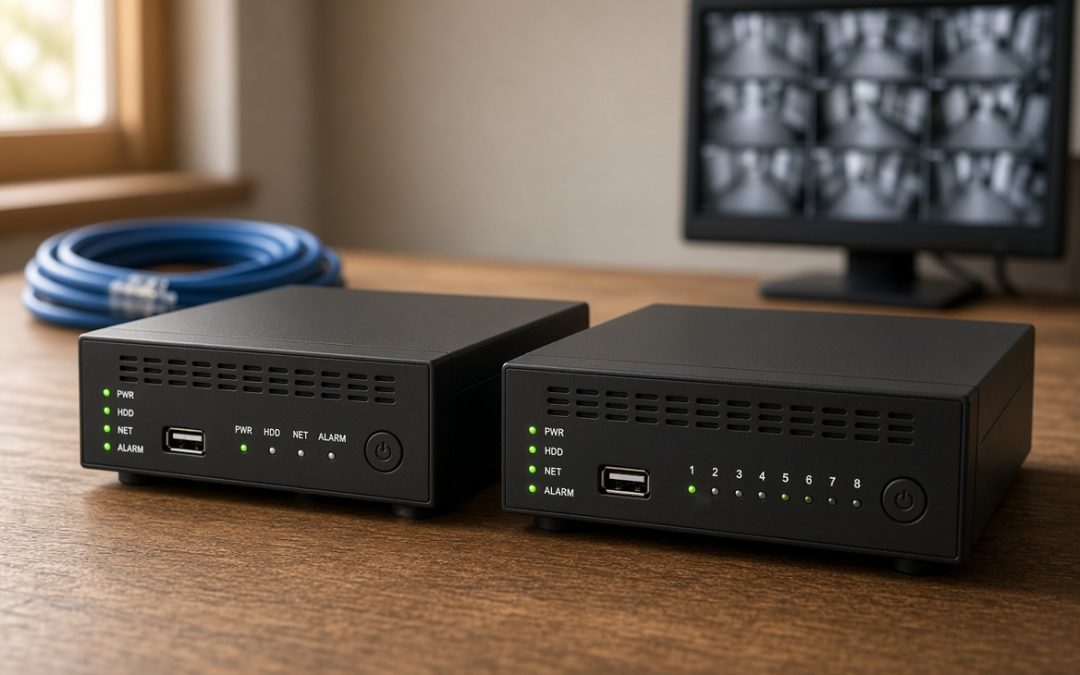
An NVR records from IP cameras over Ethernet, where each camera processes its own video. A DVR records from analog cameras over coax and processes video inside the recorder. For a new Houston install, NVR wins. For a home that already has coax, a DVR or hybrid saves the rewire.
TL;DR
- NVR uses IP cameras on Ethernet with power in the same cable. DVR uses analog cameras on coax with separate power.
- Your existing wiring usually decides it. Coax already in the walls points to a DVR or hybrid and skips the expensive cable pull.
- DVRs are not capped at 1080p anymore. Modern analog reaches 4K over coax, though frame rate at 4K can lag IP.
- Eight 4MP cameras at 30 days need roughly 8 TB. Motion-only recording cuts that near 2 TB.
- The recorder costs $150 to $500 on a job that runs $1,200 to $3,000 installed. Cable labor moves the total, not the box.
- A hybrid recorder takes both camera types, which lets a commercial site migrate across two budget cycles.
One liner: Pick the recorder that matches the wire in your walls, size the drive for the days you need, and get the frame rate in writing.
Key Numbers
| Figure | Value | Source |
|---|---|---|
| Recorder hardware cost | $150 to $500 | HomeAdvisor, 2026 [17] |
| Complete 4-camera system installed | $1,200 to $2,800 | CountBricks, 2026 [21] |
| Storage, 8 cameras at 4MP, 30 days | About 8 TB | CCTV Planner and CCTV Design Tool, 2026 [12][11] |
| Max analog resolution over coax | 8MP (4K) | SecurityCamCenter and PVR Blog, 2026 [5][6] |
| Coax transmission distance at 1080p | Up to 750 m | SecurityCamCenter, 2026 [5] |
| Cloud licensing, 16 cameras, 5 years | $4,800 to $14,400 | Get Safe and Sound, 2026 [19] |
| Houston attic temperature, summer | 120 to 130 F | Houston trade sources, 2025 and 2026 [25][26] |
What an NVR and a DVR Actually Do
In short: Both boxes record and store video from your cameras. The difference is where the video gets turned into a file, and what kind of cable carries it there.
A security recorder is the hard drive your cameras write to. Two types dominate Houston installs, and the names tell you almost nothing useful.
NVR: the recorder for IP cameras
An NVR is a network video recorder. It pairs with IP cameras, which are network cameras with a small computer inside. Each camera encodes its own video, meaning it compresses the picture into a digital file before the file leaves the camera. The NVR receives finished streams and files them, since NVRs work only with digital footage and depend on the cameras to handle encoding [2].
One Ethernet cable per camera does the whole job. It carries video, audio, controls, and power through PoE, or Power over Ethernet, which is what makes a single RJ45 run replace the separate video and power wiring an analog system needs [1].
DVR: the recorder for analog cameras
A DVR is a digital video recorder. It pairs with analog cameras, which send a raw signal down coaxial cable and do no processing of their own. The conversion happens inside the DVR, where analog footage gets turned into a digital format internally [2]. Each camera plugs into its own port on the back of the box, and each one needs a separate power run, usually through a splitter, because the DVR does not power its cameras [3].
Think of it this way. The NVR is a clerk receiving finished documents. The DVR is a clerk receiving handwritten notes and typing them up.
The thirty-second test on your own wall
If a recorder is already mounted in your closet, look at the plugs.
- Round connectors that screw on are BNC. That is a DVR with analog cameras.
- Rectangular clip-in connectors are RJ45. That is an NVR with IP cameras.
That one glance decides most of what follows. If you want a second opinion before you buy anything, our team handles Houston security camera installation and can identify a system from a photo of the back panel.
One naming note, since it trips people up. The DVR that records your TV shows is a different animal from the DVR in a camera system. Same three letters, different job.
NVR vs DVR: Five Differences That Decide It
In short: Four of the five differences favor the NVR. The fifth is why DVRs are still selling in 2026.
| NVR | DVR | |
|---|---|---|
| Camera type | IP cameras only | Analog cameras (TVI, CVI, AHD, CVBS) |
| Cabling and power | One Cat5e or Cat6 run per camera, power included via PoE | Two runs per camera: coax for video, separate 12V for power |
| Where encoding happens | Inside each camera | Inside the recorder |
| Audio | Carried on every channel over Ethernet | Available on newer HD-over-coax gear, with limits |
| Adding cameras later | Connect to any switch on the network | Physical run back to the recorder |
Row by row, the NVR looks like the obvious answer. A single Ethernet cable with an RJ45 connector carries power, video, data, audio, and PTZ controls, which makes PoE camera installation simpler and cleaner than coax [1]. Analog installs pull two wires per camera, since the DVR does not power its cameras and each connection needs a splitter to supply power [3]. On a 16-camera restaurant or retail job, that is sixteen fewer runs and a shorter labor bill.
The audio row deserves the footnote most comparison pages skip. Coax historically dropped audio, and many older guides still say it cannot carry sound at all. That is out of date. Modern HD-over-coax cameras send audio over the same BNC video connection when paired with a compatible recorder [1]. The catch is that support tracks the signal type and factory platform, so a camera defaulting to CVI works best with a CVI-compatible recorder, and audio is not universal across mixed-format hybrid systems even when the video works [1]. Ask about audio by camera model, not by system type.
Here is the catch, and it is the whole article in one sentence. Every advantage in that NVR column assumes you are pulling new cable through finished walls. If your Houston home or storefront already has coax in place from a previous system, the math changes, and it changes fast.
NVR vs DVR Cabling: The Decision Is in Your Walls
In short: Look at what wire is already run before you shop for a recorder. Existing coax usually points to a DVR, existing Ethernet points to an NVR, and an empty house points to an NVR.
Hardware is the cheap part of a camera system. Pulling cable through finished walls, over a hot attic, and around ductwork is what fills the invoice. So the sensible order is backwards from how most people shop: figure out the wiring, then buy the box that matches it.
Three situations, three answers
You already have coax from an older system. Keep it. RG59 run in 2008 will carry modern HD-TVI cameras, so you can swap the cameras and keep the wiring [6]. You get a large picture-quality jump for the price of cameras and a recorder, with no drywall work.
You already have Cat5e or Cat6 to your camera locations. Go NVR. The runs are in place, PoE handles power, and you skip the two-wire penalty entirely.
Nothing is run yet. Go NVR. If cable is getting pulled either way, pull the one that carries power, audio, and controls on a single jacket, and that any future camera on the market will speak.
Where coax still wins outright
Distance. Ethernet runs about 100 meters, or 328 feet, before you need help. Coax goes far past that. HD-TVI carries 1080p up to 750 meters and 720p up to 1,200 meters over coaxial cable [5]. On long cable runs across a warehouse property or a fence line, that gap decides the design.
Ethernet is not stuck at 328 feet, though. PoE extenders, a midspan PoE switch, or a fiber-uplink switch all push the network past that limit [1]. Each one adds a device that needs power and a place to live, which is the real cost, not the hardware price.
One more thing has changed on the analog side. Power over Coax now lets the coax carry camera power the same way PoE does over Ethernet [5], which removes the second wire that made analog installs slower.
None of that makes coax the better system. It makes coax the cheaper retrofit. If you are starting clean, Ethernet is the wire you want in the wall for the long run.
NVR vs DVR Quality: The 1080p Myth About DVRs
In short: DVRs stopped being 1080p-limited years ago. Modern analog cameras reach 4K over the same coax. What IP still holds is smoother motion at high resolution and a cleaner signal path.
Search this topic and you will find page after page telling you that DVR systems max out at 1080p [7]. That was accurate in 2015. It is not accurate now, and it steers people into rewiring a house that did not need it.
Here is the current state. HD-TVI supports cameras up to 8MP [5]. Modern AHD and TVI analog reaches 4K over coax [6]. Analog cameras at 4K over coax now match IP camera pixel counts while staying on coaxial cabling [8].
What each resolution tier buys you
| Tier | Pixels | Identifies | On an NVR | On a DVR |
|---|---|---|---|---|
| 2MP (1080p) | 1920 x 1080 | A face at a doorway | Yes | Yes |
| 4MP | 2560 x 1440 | Faces across a lobby or driveway | Yes | Yes |
| 5MP | 2592 x 1944 | Detail in wide scenes | Yes | Yes |
| 8MP (4K) | 3840 x 2160 | License plates at driveway distance | Yes | Yes, with limits |
4K is the minimum for reading a license plate at driveway distance, while 1080p covers identifying a face at a door [8]. Most Houston homes and small storefronts land on 4MP as the sensible middle. Our camera packages starting at $950 are built around that tier.
Where IP still has the edge
Two things, and they are worth knowing before you decide the myth-busting settles it.
Motion at 4K. Pixel counts match. Frame rates do not. Frame rate is how many images per second the recorder captures, and smooth video needs about 30. One manufacturer’s HD-TVI recorder line specs 4K at 8 frames per second and 3K at 12 [9]. An independent test found 4K coax cameras topping out near 7 frames per second while 4K PoE cameras reach 30 [1]. Analog cameras marketed as 4K often are not truly 4K, because they do not support the 30fps standard [4]. Specs vary by unit, so read the frame rate line on any 4K DVR quote. A car crossing frame at 8fps can move a long way between images.
The signal path. An IP camera hands the recorder a finished digital file. An analog camera hands over a signal that gets converted inside the box. Because the NVR receives a pure digital feed, quality comes out ahead of a DVR at the same stated resolution [3], though the gap has narrowed substantially from where it was [3].
One budget note before you jump to 4K everywhere. Higher resolution eats disk in a straight line, so a 4K camera needs roughly four times the storage of a 1080p camera for the same number of days kept. The next section does that math with real numbers.
How Many Channels Do You Need? 4, 8, 16, or 32
In short: One channel equals one camera. Buy the next tier above the number of cameras you own today, because the cheapest camera you will ever add is the one your recorder already has room for.
Recorders come in fixed sizes: 4, 8, 16, and 32 channels. A channel is one camera input. Fill every channel and the only way to add a camera is to replace the box.
What most Houston properties need
| Property | Typical cameras | Recorder to buy |
|---|---|---|
| Small home, doors and driveway | 3 to 4 | 8 channel |
| Average Houston home with side yards and alley | 5 to 8 | 8 or 16 channel |
| Storefront or restaurant | 8 to 14 | 16 channel |
| Warehouse, dealership, or multi-building site | 16 to 30 | 32 channel |
A pattern we see often: a business buys a 4-channel recorder for four cameras, then needs a fifth six months later and has to replace the recorder to get it. The upgrade from 4 to 8 channels would have cost a fraction of that at the start. Gas station camera systems grow like this more often than not, because pump islands, coolers, and back doors get added one at a time.
Two things to check on any quote
PoE ports are not the same as channels. A 16-channel NVR does not always ship with 16 built-in PoE ports. Plenty come with 8, and the remaining cameras connect through a separate PoE switch. That switch is a real line item. Ask which number is which before you sign.
Every recorder has a bandwidth ceiling. Units publish a maximum incoming bandwidth, commonly 32, 64, or 128 Mbps [10]. Sixteen 4K cameras can overrun a low ceiling even when sixteen channels are sitting there empty. Channel count and drive bays both cap what the box can actually hold, which brings us to storage.
NVR Storage Capacity: How Many Days You Actually Keep
In short: Storage is a math problem, not a mystery. Eight 4MP cameras recording around the clock for 30 days need roughly 8 TB. Cut the frame rate or record on motion only and that number drops hard.
Every competitor page answers this with “it depends.” It depends on five things you already know: how many cameras, what resolution, what frame rate, what codec, and how many days you want to keep. Here is the arithmetic.
The math, and the table that saves you from doing it
Bitrate is how much data a camera produces per second, measured in megabits per second. Storage in GB equals bitrate times recording hours times 3600 times days times cameras, divided by 8 times 1024 times 1024 [13].
Nobody wants to run that at a kitchen table, so here it is done. All rows assume H.265 compression, 15 frames per second, and surveillance-rated drives. H.265 is the current video codec, which is the compression method that decides how much space a given picture takes.
| System | 30 days, continuous | 30 days, motion only | Drive to buy |
|---|---|---|---|
| 4 cameras, 1080p | 2.6 TB | 0.7 TB | 4 TB |
| 8 cameras, 4MP | 7.8 TB | 2.0 TB | 10 TB |
| 16 cameras, 4MP | 15.6 TB | 3.9 TB | 2 x 10 TB |
| 8 cameras, 4K | 15.6 TB | 3.9 TB | 2 x 10 TB |
Two independent calculators land in the same place on the middle row. Eight 4MP cameras at H.265, 15fps, 30 days continuous works out to about 7.78 TB [12]. A second source puts the same configuration at roughly 6 to 8 TB [11]. The small-system row checks out too: a four-camera 1080p system recording continuously for 30 days needs about 2.5 TB [13].
Motion-only figures assume the camera sees activity a quarter of the day. Real-world motion recording runs 10 to 30 percent of the day depending on the scene [14], so a busy parking lot lands near the top of that band and a back fence line near the bottom. Want to run your own configuration? Western Digital publishes a surveillance capacity calculator that takes camera count, resolution, frame rate, and codec [16].
Which drive to buy, and which to avoid
Buy a surveillance-rated drive. Desktop drives are not built for the continuous write patterns of CCTV recording, while surveillance-grade drives such as WD Purple or Seagate SkyHawk carry higher write endurance ratings and longer warranties [11]. Skip SMR drives and SSDs, and keep 15 percent headroom [15].
Two gotchas worth knowing before you order:
- The label lies a little. A 4 TB drive holds about 3.6 TB of usable footage once it is formatted [14].
- Leave room. Add 10 to 15 percent above the calculated figure for filesystem overhead, reserved sectors, and cameras you add later [11].
Multi-building sites should also budget for redundancy. RAID 5, which spreads data across drives so one failure does not lose the footage, pushes a 7.78 TB requirement to roughly 10.4 TB of raw capacity [12].
How many days you should keep
More is not better. It is expensive. Residential systems land at 14 to 30 days and small businesses at 30 to 60 [14], because most homeowner disputes such as package theft, vandalism, and vehicle damage get reported within a week, which makes 30 days generous [14]. Retail and restaurants run longer for slip-and-fall claims and loss prevention.
If your number comes out too big, pull one of three levers before you buy a bigger drive. Switching a 1080p camera from H.264 to H.265 takes it from roughly 10 GB per day to about 5 [15]. Dropping 30fps to 15fps shaves 30 to 40 percent [14]. Recording on motion instead of continuously does the rest.
One note that ties back to the recorder choice. IP cameras generally run higher bitrates than analog cameras at the same resolution, so an NVR budget needs somewhat more disk per camera than a DVR budget. Not a reason to pick one over the other, but a reason to size the drive after you pick.
NVR Cost vs DVR Cost in Houston: Real Numbers
In short: The recorder is the small line item. Expect $150 to $500 for the box on a job that runs $1,200 to $3,000 installed. What moves the total is how many cameras you hang and how much cable has to get pulled.
Here is the part that surprises people. DVRs run $150 to $300 and NVRs run $150 to $500 [17]. On a typical home system, that is under a fifth of the invoice. You are not choosing between a cheap box and an expensive box. You are choosing between cable plans, and the cabling section already told you which one your house wants.
Where the money goes
| Line item | Range | Notes |
|---|---|---|
| Recorder | $150 to $500 | NVRs sit at the higher end |
| Cameras | $20 to $250 each | 4MP models land in the middle |
| Installed cost per camera | $125 to $450 | Includes labor |
| Labor rate | $65 to $95 per hour | 6 to 8 hours on a 4-camera job |
| PoE switch, if needed | $100 to $400 | NVR jobs only |
| Hard drive | $100 to $200 | Replace every 3 to 5 years |
IP camera installation runs $125 to $400 per camera including labor [20], and labor alone runs $80 to $200 per camera [21]. PoE switches add $100 to $400 on a multi-camera system [19], which is a line most quotes bury.
For whole systems, professional home installation averages $1,290 and ranges from $590 to $2,040 [18], while a complete 4-camera system with recorder, cabling, and installation runs $1,200 to $2,800 [21]. A 6-camera 4K job with longer runs comes to roughly $3,050, about $508 per camera [22]. Commercial work starts near $2,800 and climbs past $50,000 depending on site size [19].
Those are national ranges. Houston labor sits inside them. Our entry package covers four cameras with installation from $950, and financing options spread the rest.
Two Houston homes, same coverage, different invoice
A home with coax already in the walls. Six HD-TVI cameras, an 8-channel DVR, a 4 TB drive. No new cable, so labor drops to mounting and terminating. The pull, which is the largest variable line on any job, disappears.
The same home wired fresh for IP. Six 4MP cameras, an 8-channel NVR with PoE, a 4 TB drive, and six Cat6 runs through a finished attic in July. Better system, more hours, higher total.
Same coverage either way. The gap between them is cable labor, not hardware.
NVR vs cloud recording over ten years
Subscription pricing looks small monthly and large in aggregate. Cloud video licensing runs $5 to $15 per camera per month, which is $4,800 to $14,400 for a 16-camera system across five years [19]. Camera-as-a-service models with 30-day retention run $10 to $30 per camera per month [12].
Run a 16-camera site out to ten years at the low end of that range and the licensing alone passes $9,600. The local side over the same decade is a recorder at $500 and drives replaced twice, since surveillance drives need replacing every 3 to 5 years at $100 to $200 each [19]. Call it $2,300 total. Both sides carry the same camera and installation cost, so those cancel out of the comparison.
Cloud buys you off-site copies and no on-premise hardware to maintain. It does not buy you a lower ten-year number. Many commercial sites split the difference: keep 7 to 14 days locally on the recorder and push only flagged events to the cloud [19].
One note for business owners. Security cameras may qualify for Section 179 deductions of up to $2.56 million for tax years beginning in 2026 under IRS Revenue Procedure 2025-32 [19]. Whether your purchase qualifies is a question for your accountant.
Upgrading a DVR to an NVR, or Going Hybrid
In short: You have three paths, not two. Keep the DVR and upgrade the cameras, replace everything with IP, or buy a hybrid recorder that takes both and migrate on your own schedule.
First, the rule that saves people money and frustration: an IP camera does not work on a DVR, and an analog camera does not work on an NVR. Buying cameras before you settle the recorder question is how boxes end up going back to the seller.
Path one: keep the DVR, upgrade the cameras
The cheapest path by a wide margin. Your coax stays in the wall and you swap in HD-TVI cameras. You pay for cameras and possibly a newer recorder, and you skip the cable pull entirely.
Compatibility is friendlier than it used to be. Modern DVR recorders support TVI, AHD, CVI, and CVBS automatically, so you are not locked into a single ecosystem when upgrading cameras over time [23]. Many HD analog recorders accept AHD, CVI, and TVI on the same ports, which creates a universal recorder and reduces vendor lock-in [4].
Path two: go all IP
New cameras, a new NVR, and new Ethernet to every camera location. The best long-term system and the biggest invoice, because the cable pull is the expensive part.
If you take this path, buy ONVIF-compliant cameras. ONVIF is an open standard for how cameras and recorders talk to each other, and ONVIF-compliant IP cameras can be made to work with essentially any recorder [4]. It is not a guarantee, though. Some manufacturers still run proprietary protocols alongside ONVIF, which limits how much of a camera’s feature set a third-party recorder can reach [2]. Treat ONVIF as insurance on the basics rather than a promise that every feature travels.
Wireless is a third option inside this path, and it earns a mention because of how Houston lots are shaped. WiFi cameras connect to an NVR over the network instead of a cable, which suits a detached building or a camera across a parking lot where trenching is impractical [1]. The trade-offs are real: wireless is less reliable for professional use because of jamming, interference, signal loss, and bandwidth limits, and the camera still needs a power outlet nearby [1]. Wired PoE stays the default for anything that matters.
Path three: a hybrid recorder that takes both
A hybrid, sometimes sold as an XVR or a 5-in-1 recorder, accepts analog and IP cameras on the same box. Most modern DVRs support hybrid operation, running standard-definition CVBS and analog HD cameras at the same time [23]. Capacity varies by unit. One current model takes 8 analog channels or 16 IP channels for 16 cameras in any combination, with the IP side connecting through a PoE switch [10].
The real argument for a hybrid is a budget argument. A 16-camera site across our Houston service area can move eight cameras to IP this year and the other eight next year, on one recorder, without stranding the analog gear in between. Spread the spend, keep the coverage.
Analytics are no longer an IP-only feature either. Manufacturer DVR lines now list facial recognition and perimeter protection [9].
The security trade nobody mentions
There is one argument for analog that has nothing to do with cost or cabling. An analog system carries no network exposure. Video travels over coax to a box that does not need to touch the internet, which is why DVRs remain preferred in some high-security environments such as data centers and storage facilities [2].
An NVR moves everything over a network, and that surface has to be managed. Encryption, multi-factor authentication on the recorder login, and regular attention to network security are part of owning one [2]. None of that is a reason to avoid an NVR. It is a reason to treat the recorder as a computer on your network rather than an appliance you mount and forget.
When is a hybrid the wrong call? When you are going all IP anyway. You pay for analog ports you will never plug into. Buy the box that matches where you are headed, not the one that hedges.
NVR or DVR? Answer These Five Questions
In short: Five answers get you to a recorder. What is in your walls, how many cameras you will want in three years, what you need to identify, how many days you keep, and whether you are buying once or migrating.
1. What wire is already in your walls?
- Coax from an older system points to a DVR or a hybrid. Keep the wire, upgrade the cameras.
- Cat5e or Cat6 to your camera spots points to an NVR.
- Nothing run yet points to an NVR. If cable is getting pulled anyway, pull Ethernet.
2. How many cameras will you want in three years?
Not today. Three years. Buy the channel tier above that number. Four to eight cameras means an 8-channel recorder. Nine to fourteen means 16. A recorder with a spare channel is cheap. A recorder with no spare channel is a replacement.
3. Do you need to read plates, or identify faces?
Faces at a door are covered at 1080p. Plates at driveway distance need 4K. That answer sets your resolution, and resolution sets your storage and your budget. Most Houston properties land on 4MP for general coverage, with one higher-resolution camera aimed where it matters.
4. How many days do you need to keep?
Thirty days covers most homeowners. Retail, restaurants, and anywhere with claims exposure should plan on 30 to 60. Multiply by the storage table above and you have your drive size.
5. Are you buying once, or migrating over two budget cycles?
Buying once points to a single-purpose box, NVR or DVR. Migrating in stages points to a hybrid.
Five common answers
| Situation | What we would spec |
|---|---|
| Houston home, no existing wiring | 8-channel NVR, six 4MP PoE cameras, 4 TB drive, 30 days |
| Home with coax already in the walls | 8-channel DVR, six HD-TVI cameras, 4 TB drive, 30 days |
| Restaurant, dining room plus kitchen and back door | 16-channel NVR, ten 4MP cameras, 10 TB, 60 days for claims exposure |
| Warehouse with long runs to the dock and fence line | 16-channel hybrid, IP near the office and coax to the far corners, 10 TB |
| Retail store adding cameras over time | 16-channel hybrid, mixed analog and IP, 10 TB, 30 to 60 days |
Four things to make any installer put in writing
Ours included. If a quote will not state these, keep shopping.
- Channel count and built-in PoE port count, stated separately. They are frequently different numbers.
- Camera resolution and recorded frame rate. A 4K camera recording at 8fps is a different product from one recording at 30.
- Drive size and the retention it buys, in days, for your camera count.
- Whether cable, connectors, and the PoE switch are included or billed separately.
If two of the five questions came back as “I am not sure,” stop reading and get eyes on the property. A twenty-minute walk answers wiring, camera count, and sightlines faster than any article can. We do those free across Houston: request an on-site estimate or call (281) 973-5279.
NVR Remote Access, the App, and Common Problems
In short: Setup is a half day. What decides whether you like the system a year later is how your phone reaches the recorder and how quickly small faults get diagnosed.
Getting it set up and on your phone
A professional install runs six to eight hours on a typical home job: mount the cameras, run and terminate cable, rack the recorder, format the drive, set recording schedules, aim each camera, and pair the app.
Two steps get skipped often enough to name them.
Change the default password. Recorders ship with a factory login that is printed in the manual and identical across every unit sold. Change it at install, use something unique to this device, and write it somewhere other than a sticky note on the recorder.
Set the retention and check it a week later. Confirm the oldest footage on the drive is as old as you expect. That is the only way to know your storage math held.
How your phone reaches the recorder: P2P vs port forwarding
Remote viewing is standard equipment on 2026 recorders [23], and most now offer account-based portal access from a browser as well as an app [10]. Two methods get you there, and most owners never learn which one they were given.
P2P means peer to peer. The recorder checks in with the manufacturer’s servers and your app connects through them. You scan a QR code and it works. Setup takes two minutes and no router changes, and your video path runs through a third party.
Port forwarding means opening a specific door on your router that points at the recorder. It is a direct connection with no middleman, and it exposes that recorder to the open internet. Worth it for some commercial setups. Not worth it for most homes, and never worth it on a default password.
Ask which method your installer used. If the answer is port forwarding, ask why.
Four things that go wrong
| Symptom | Usually means | What to try |
|---|---|---|
| App says offline, cameras still record | Internet or P2P service interruption, not a camera fault | Check the recorder locally on its monitor. If footage is there, the system is fine and the path out is broken |
| One camera goes black at night only | Infrared illuminator failed, or a spider web or dirty dome is bouncing IR back into the lens | Clean the dome first. It fixes this more often than a replacement does |
| Footage stops going back as far as it used to | Drive filling faster than planned, usually after adding a camera or raising resolution | Recalculate against the storage table above, or lower frame rate |
| One camera dropped off entirely | Cable, connector, or on an NVR an IP address conflict | Swap the camera to a known-good port to isolate cable from camera |
One thing people get backwards in both directions: losing internet does not stop recording. A DVR keeps recording without a network, since the cameras do not depend on it [6], and an NVR generally keeps recording too, because the cameras talk to the recorder over the local switch. What you lose is remote viewing. Some IP cameras go further with ANR, which buffers video to a card in the camera during an interruption and backfills the recorder once the link returns.
The trade is real though. An NVR system is more complex and depends on solid network connectivity and a capable router [2]. More parts, more places for a fault to hide.
More fixes and setup questions live on our FAQ page.
Four Houston Factors That Change the Decision
In short: Heat, humidity, storm outages, and lot geometry all push on this decision, and no national buying guide accounts for any of them.
1. The recorder does not belong in the attic
This is the most common placement mistake we find on service calls, and the numbers explain why it fails.
Houston attics without a radiant barrier average 120 to 130 degrees on summer days [25]. Older homes with thin insulation or weak ventilation push past 130 [26], and attics in warm climates reach 160 [27].
Now the other half. A recorder is a small computer with a spinning hard drive inside it, and commercial-grade electronics are specified for 32 to 158 degrees Fahrenheit [28]. An August attic sits at the top of that range on a good day and past it on a bad one. Drives fail early, and the footage you needed goes with them.
Put the recorder in an interior closet or a conditioned utility space, off the floor, with room for air to move around it. Off the floor matters twice over in parts of Houston where water has come inside before.
2. Humidity works on the cameras, not the box
Houston averages nearly 55 inches of rain across about 104 days a year [29]. Add Gulf humidity and the failures show up at the camera end: condensation inside domes when a gasket gives up, and webs strung across warm housings overnight.
Neither is a recorder problem. Both are reasons to buy properly rated outdoor housings and to plan on a dome wipe twice a year rather than never.
3. Storm season is a power question, and it favors the DVR slightly
Losing power stops recording. Losing internet does not.
A battery backup keeps the system writing through an outage, and here the two paths diverge. A DVR needs the recorder and the camera power supply on battery. An NVR needs the recorder, the PoE switch, and usually the router, since the cameras depend on the network path to reach the box. More load, shorter runtime from the same battery.
The counter is ANR, or automatic network replenishment. Cameras with an onboard card keep recording during an interruption and backfill the recorder once the link returns, so a storm window does not become a hole in the timeline. Ask for it on any IP system going into a Houston property.
4. Deep lots, alleys, and detached garages
The distance math from the cabling section lands here. Ethernet runs about 100 meters before it needs a switch, an extender, or a fiber uplink. Coax reaches far past that on the same signal.
A camera on a detached garage at the back of a deep lot, or one covering an alley gate, is exactly the run where that gap decides the design. Sometimes the answer is a hybrid recorder: IP around the house, coax to the far corner. Sometimes it is a wireless bridge, with the reliability trade-offs that come with it.
Audio, Placement, and Texas Law: The Basics
In short: Video on your own property is straightforward. Audio is where people get into trouble, and Texas has a specific rule about it.
Audio is the part to think about
Texas is a one-party consent state, meaning a recording is lawful if at least one person in the conversation agrees to it. Under Penal Code 16.02, a participant in a wire, oral, or electronic communication may record without notifying the other parties [30].
That covers your doorbell camera. Recording your own conversation at the front door is lawful because you are a party to it. Recording conversations between other people when you are not present may not be [31]. A camera sitting in a hallway picking up whatever gets said near it has no participant consenting to anything.
The stakes are why we raise it. Interception of oral or electronic communications is a felony under 16.02 unless an exception applies [32], and unlawful interception is a second-degree felony [30].
Our practical recommendation: leave audio off unless you have a specific reason to record it and have thought that reason through. Many recorders enable it by default.
Where cameras do not go
This part is not ambiguous. A camera capturing a bedroom, bathroom, or other private area violates Penal Code 21.15 regardless of who owns the property [30]. For businesses, that means no cameras in restrooms, locker rooms, fitting rooms, or hotel guest rooms [33].
Everything else on property you own or control, covering entrances, driveways, parking, hallways, and sales floors, is standard practice.
If you run a business
Three things worth doing:
- Post notice at public entrances. A posted surveillance notice at every public entrance is standard practice [33].
- Handle audio deliberately. The Texas Workforce Commission advises that when audio is recorded alongside video, notice and consent are required, and recommends informing employees and getting written consent rather than running covert surveillance [31].
- Put it in writing. For video-only recording, TWC states notice and consent are not mandatory but are a good idea [31]. A short surveillance paragraph in the handbook covers it.
One more for anyone selling to government agencies or school districts: NDAA Section 889 compliance applies to federal-touching installations and rules out several covered manufacturers [33]. Ask any installer to confirm their equipment qualifies before you sign.
This is general information, not legal advice. For anything specific to your property, employees, or industry, talk to a Texas attorney.
Frequently Asked Questions
What is the difference between an NVR and a DVR?
A: An NVR records from IP cameras over Ethernet, where each camera compresses its own video before sending it. A DVR records from analog cameras over coax and does the compressing inside the recorder [2].
The practical difference is cabling. NVR cameras use one Ethernet run that carries power too. DVR cameras use coax for video plus a separate power run [1].
Is an NVR or a DVR better for a home in Houston?
A: For a home with no camera wiring in place, an NVR. For a home that already has coax from an older system, a DVR or hybrid saves the cost of pulling new cable.
Neither is better in the abstract. The wiring already in your walls usually decides it, because cable labor is the largest variable on any install [21].
Can I use IP cameras with a DVR?
A: No. IP cameras need an NVR, and analog cameras need a DVR. A hybrid recorder accepts both on the same box.
Settle the recorder question before buying cameras. Mismatched gear is the most common reason equipment goes back to the seller [23].
Do DVRs only record in 1080p?
A: No, and this is the most repeated error on this topic. HD-TVI supports cameras up to 8MP, and modern analog reaches 4K over the same coax [5][6].
What IP still holds is frame rate at high resolution. Some analog recorders run 4K at 8 frames per second rather than 30 [9].
How much does an NVR cost in Houston?
A: The recorder itself runs $150 to $500, with DVRs at $150 to $300 [17]. A complete four-camera system with recorder, cabling, and installation typically runs $1,200 to $2,800 [21].
Installed cost per camera runs $125 to $450 including labor [20]. The recorder is a small part of the total.
What size hard drive do I need for 8 cameras?
A: Eight 4MP cameras recording continuously for 30 days need roughly 8 TB [12][11]. Recording on motion instead drops that near 2 TB.
Use a surveillance-rated drive, not a desktop drive, and add 10 to 15 percent headroom above your calculated figure [11].
Should I get an 8 channel or 16 channel NVR?
A: Count the cameras you want in three years, then buy the tier above it. Four to eight cameras means an 8-channel recorder, nine to fourteen means 16.
Check the built-in PoE port count separately. A 16-channel NVR does not always include 16 PoE ports, and the rest need an external switch.
Can I upgrade my DVR to an NVR without rewiring?
A: Not to a true NVR, since IP cameras need Ethernet. You can get most of the benefit without rewiring by putting HD-TVI cameras on your existing coax [6].
A hybrid recorder is the middle path. It takes analog and IP together, so you can migrate cameras in stages [23].
What is a hybrid DVR?
A: A recorder that accepts analog and IP cameras on the same unit, sometimes sold as an XVR or 5-in-1. Most modern DVRs support some hybrid operation [23].
Capacity varies. One current model takes 8 analog channels or 16 IP channels for 16 cameras in any combination [10].
Do security cameras keep recording if the internet goes out?
A: Yes. A DVR keeps recording because its cameras do not use the network at all [6], and an NVR generally keeps recording because its cameras reach the recorder over the local switch.
What stops is remote viewing on your phone. Cameras with ANR also buffer to an onboard card and backfill afterward.
Is cloud recording cheaper than an NVR?
A: Not over time. Cloud video licensing runs $5 to $15 per camera per month, which is $4,800 to $14,400 for a 16-camera system across five years [19].
A local recorder plus drive replacements runs a fraction of that across a decade. Cloud buys off-site copies, not a lower total.
Why does my NVR app say offline when the cameras are recording?
A: That points at the connection path, not the cameras. Check the recorder on its local monitor first. If footage is there, the system is fine and the route out is broken.
Usual causes are an internet interruption or the manufacturer’s remote-access service being down.
Is it legal to record audio on security cameras in Texas?
A: Texas is a one-party consent state, so recording a conversation you are part of is lawful [30]. A camera capturing conversations between other people with nobody consenting is a different matter, and unlawful interception is a felony [30].
Leaving audio off is the low-risk default. This is general information, not legal advice.
Definition Bank
| Term | Plain-English definition |
|---|---|
| NVR | Network video recorder. Records from IP cameras that send finished digital video over Ethernet |
| DVR | Digital video recorder. Records from analog cameras that send a raw signal over coax, and converts it internally |
| PoE | Power over Ethernet. Lets one network cable carry both data and camera power |
| HD over coax | A family of formats (TVI, CVI, AHD) that carries high-definition video on ordinary coaxial cable |
| Channel | One camera input on a recorder. An 8-channel recorder holds eight cameras |
| Bitrate | How much data a camera produces per second, in megabits. The number that drives storage |
| Hybrid recorder | A recorder that accepts analog and IP cameras on the same unit, also sold as an XVR |
| ANR | Automatic network replenishment. A camera buffers video to its own card during an outage and backfills the recorder afterward |
Entity Cards
NVR
| Property | Value |
|---|---|
| Full name | Network video recorder |
| Camera type | IP cameras |
| Cable | Cat5e or Cat6, one run per camera |
| Power | Delivered over the same cable via PoE |
| Max resolution | 4K and above |
| Best for | New installs, sites with Ethernet in place |
| Typical cost | $150 to $500 |
DVR
| Property | Value |
|---|---|
| Full name | Digital video recorder |
| Camera type | Analog cameras (TVI, CVI, AHD, CVBS) |
| Cable | RG59 coax, plus separate power |
| Power | Separate 12V run, or Power over Coax on newer gear |
| Max resolution | Up to 8MP, frame rate varies at 4K |
| Best for | Retrofits over existing coax, long cable runs |
| Typical cost | $150 to $300 |
Sources
- CCTV Camera World, DVR vs NVR: What’s the Difference and Which Is Better?, updated April 2026.
- Avigilon, NVR vs DVR security systems: The key differences to know, 2026.
- Swann, NVR vs. DVR Security Systems: What’s the Difference?, 2023.
- Mammoth Security, IP vs Analog Cameras: Which is Better?, accessed 2026.
- SecurityCamCenter, Differences between HD-TVI, HD-CVI and AHD, accessed 2026.
- PVR Blog, IP Camera vs Analog Camera: 5 Key Differences, June 2026.
- DTiQ, NVR vs DVR Security Cameras: Which Is Right for You?, 2025.
- PVR Blog, Security Camera Resolution Guide 2026, May 2026.
- LTS, HD-TVI Digital Video Recorders for Security, accessed 2026.
- Infinite Cables, 8-Channel Analog / 16-Channel IP 8MP DVR specifications, accessed 2026.
- CCTV Design Tool, CCTV Storage Calculator, accessed 2026.
- CCTV Planner, How to Calculate CCTV Storage Requirements, March 2026.
- CCTV Software Hub, CCTV Storage Calculator, July 2026.
- GW Security, Security Camera Storage: How Much Hard Drive Space Do You Need?, June 2026.
- PVR Blog, Security Camera Storage Calculator, June 2026.
- Western Digital, Surveillance Hard Drive Storage Calculator, accessed 2026.
- HomeAdvisor, How Much Does Security Camera Installation Cost in 2026?, June 2026.
- Angi, How Much Does Security Camera Installation Cost in 2026?, July 2026.
- Get Safe and Sound, CCTV Installation Cost: Commercial Pricing Guide 2026, July 2026.
- HomeGuide, Security Camera Installation Cost, accessed 2026.
- CountBricks, Installation Labor Rates 2026: Surveillance Camera Cost Guide, February 2026.
- LatestCost, Cost to Install Camera System Price Guide 2026, accessed 2026.
- Security Camera King, DVR Security Systems: 2026 Setup and Upgrade Guide, July 2026.
- ONVIF, Open standard for IP-based security products, accessed 2026.
- HomeShow Radio, Average Heat In The Attic, September 2025.
- All Attic Insulation, Summer-Ready Attic: Houston Checklist, May 2026.
- Energy Attic, Is Hot Temperature in My Attic Bad for My Home?, September 2024.
- Operating temperature grades, commercial and industrial semiconductor specifications, accessed 2026.
- NOAA climate normals for Houston, accessed 2026.
- Recording Law, Texas Recording Laws (2026): One-Party Consent Rules, 2026.
- Recording Law, Texas Surveillance Camera Laws (2026 Guide), 2026.
- Digital Media Law Project, Texas Recording Law, accessed 2026.
- Tec-Tel, Texas security and surveillance regulations: what businesses must know, May 2026.