
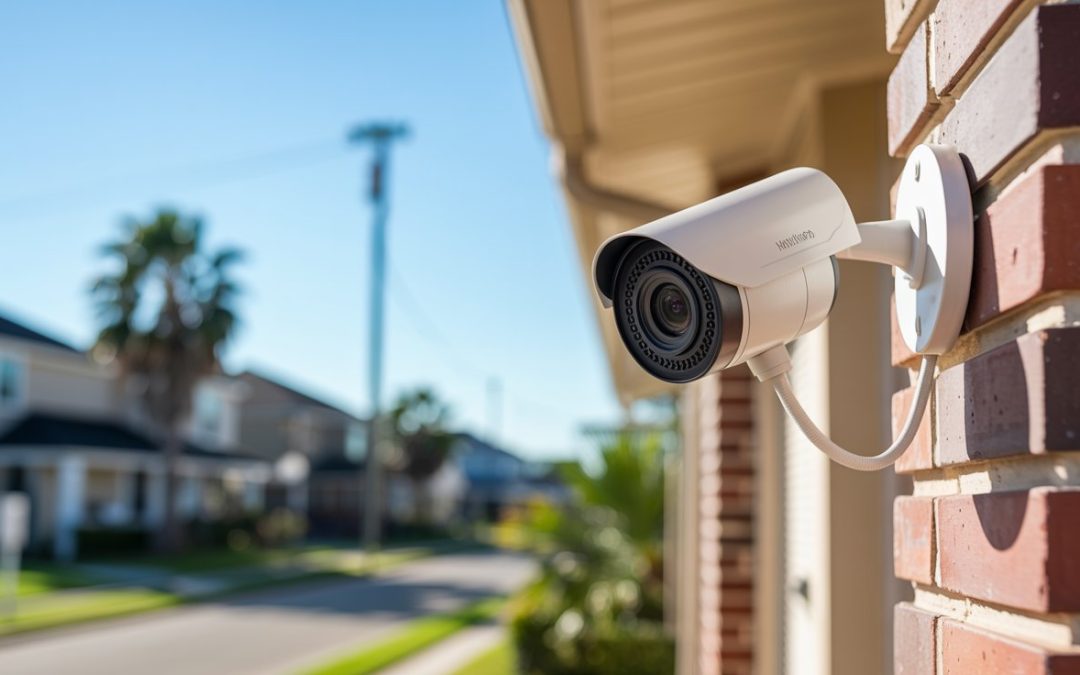
Updated August 2026. Dr Computer Service & Security Cameras, Houston, TX.
Direct Answer
Professional security camera installation in Houston includes a site survey, camera and recorder hardware, mounting, cabling, network and mobile app setup, testing, and a walkthrough. In Texas, any company you hire to install cameras must hold a state Private Security license. Entry packages start around $950 for four cameras.
TL;DR
- A professional install is a full package: survey, cameras, recorder, mounting, wiring, configuration, testing, and a walkthrough.
- The process runs in three phases: site survey and consultation, mounting and wiring, then configuration, testing, and handover.
- Most systems use PoE (one cable for power and video) feeding an NVR that stores footage; wired beats wireless for reliability.
- A standard four-camera home install takes a few hours to most of a day; commercial jobs run a day or more.
- In Texas, any paid installer must hold a TX DPS Private Security license, for private homes and businesses, not only public property.
- Vet installers on license, insurance, warranty, written scope, reviews, and after-sale support.
One liner: Professional camera installation in Houston is a defined, licensed process, and knowing what’s included lets you judge any quote with confidence.
Key Numbers
| Figure | Detail | Source (year) |
|---|---|---|
| From $950 | Entry package, 4 cameras with installation, financing available | Dr Computer Service (2026) [1] |
| 8 to 10 ft | Typical camera mounting height for face capture | Industry standard (2026) |
| ~1 hour | Time to add a single camera to an existing system | Dr Computer Service (2026) [1] |
| Few hours to a day | Typical 4-camera residential install time | Industry standard (2026) |
| License required | Paid camera installs in Texas need a TX DPS Private Security license | Texas DPS Private Security [2] |
| Since 2008 | Dr Computer Service, 10+ years installing and servicing systems | Dr Computer Service (2026) [1] |
What Professional Security Camera Installation Includes
In short: A professional security camera installation in Houston is a full package of work: a site survey, the cameras and recorder, mounting, cabling, network setup, testing, and a walkthrough. You’re paying for a working system, not a box of parts on a wall.
A professional security camera installation in Houston covers everything from the first walkthrough to the moment you can pull up live video on your phone. The technician surveys the property, recommends camera types and placement, mounts the hardware, runs the wiring, sets up the recorder and network, tests every angle, and shows you how the system works. Each step matters, and skipping any one of them is where DIY setups tend to fall apart.
Here’s what a complete professional install usually includes:
- A site survey. The installer walks the property, notes entry points and blind spots, and checks lighting and mounting surfaces before recommending anything.
- The camera hardware. Dome, bullet, or turret cameras chosen for each spot, with weatherproof housings rated for Houston heat, humidity, and driving rain.
- Mounting. Cameras are fixed at the right height and angle so they capture faces and license plates instead of rooftops.
- Cabling. Cat6 or Cat5e wire run cleanly through walls and attics, usually carrying both data and power over a single line.
- The recorder. An NVR (Network Video Recorder) or DVR set up to store footage, with retention configured to your needs.
- Network and app setup. Remote viewing on your phone, motion alerts, and secure access configured and tested.
- Testing and calibration. Every camera checked for field of view, focus, and night vision before the crew leaves.
- A walkthrough. A plain-English tour of the system so you can find footage, adjust alerts, and share access.
The difference shows up fast. A camera a homeowner tacks above the garage often points at the sky or a wall, leaving a wide blind spot right where it matters. A professional places cameras so their views overlap, closing the gaps that DIY jobs miss.
Scope is also where price starts to make sense. Dr Computer Service’s entry package covers four cameras with installation starting from $950, plus financing, which gives you a baseline to measure other quotes against [1]. Two quotes can look far apart until you check what each one actually includes.
| Usually included | Sometimes extra |
|---|---|
| Site survey and design | Masonry or brick drilling |
| Cameras, recorder, cabling | Extra cameras beyond the package |
| Network and app configuration | Ongoing professional monitoring |
| Testing and walkthrough | Long cable runs to detached buildings |
Part of a good install is matching the camera type to the spot. Here are the common options and where each fits:
| Camera type | Best for |
|---|---|
| Dome | Discreet indoor coverage, lobbies, retail floors |
| Bullet | Long-range outdoor, perimeters, driveways |
| Turret | Versatile indoor and outdoor, easy aiming |
| PTZ (pan-tilt-zoom) | Large open areas, warehouses, parking lots |
| Thermal | Perimeter detection in darkness, fog, or smoke |
The Install Process, Step by Step
In short: A security camera installation in Houston runs in three phases: a site survey and consultation, then mounting and wiring, then configuration, testing, and a walkthrough. Most jobs move through all three in a single visit.
Every good install follows the same arc. Knowing the three phases ahead of time makes it easy to tell a thorough installer from one who’s rushing.
- Survey and consultation. The installer maps your coverage and agrees on a plan with you.
- Mounting and wiring. Cameras go up, cable gets run, the recorder is connected.
- Configuration, testing, and walkthrough. The system is set up, checked, and handed over.
The site survey and consultation
This is where a professional install earns its keep. The technician walks your property, notes every entry point, and finds the blind spots you’d miss. Lighting, mounting surfaces, and cable paths all get checked. You talk through what you want to watch, whether that’s a front door, a driveway, a register, or a warehouse dock. The result is a coverage plan: how many cameras, what type, and exactly where each one goes. A good site survey is also when honest installers tell you if you need fewer cameras than you thought.
Mounting and camera placement
Placement is the difference between footage that identifies a person and footage that only proves someone was there. Cameras usually mount 8 to 10 feet up, high enough to stay out of reach but low enough to capture faces instead of the tops of heads. The installer sets each camera’s field of view, the area it can see, so views overlap and leave no gaps. Then comes the cabling. Cat6 or Cat5e wire runs through walls and attics back to the recorder, in most cases carrying both video and power on one line through PoE (Power over Ethernet). Clean cable routing matters in Houston, where attic heat is hard on wiring that isn’t rated for it.
Configuration, testing, and walkthrough
With hardware up and wired, the installer sets up the NVR, connects the system to your network, and pairs it with a mobile app for remote viewing. Motion zones get drawn so you’re alerted about the driveway, not passing traffic. Many newer systems can tell a person from a vehicle or an animal, which cuts down on false alerts so you’re notified about what matters. Before the crew leaves, they confirm the essentials: every camera focused, night vision working after dark, live and recorded video pulling up on your phone, and motion alerts firing correctly. The final walkthrough is a plain-English tour so you can find footage, adjust alerts, and share access without calling for help. One local customer added a single camera to an existing system and had the installer mount it and run the cables within about an hour, which is typical for a straightforward add-on [1].
Wiring, PoE, and the NVR Explained
In short: Most professional systems use PoE, which sends power and video over one Ethernet cable, feeding into an NVR that stores the footage. Wired PoE setups are the reliability standard, and the recorder you choose decides how many days of video you keep.
The wiring and the recorder are the parts buyers understand least and installers explain worst. Here’s the plain version.
PoE (Power over Ethernet) means one cable does two jobs. A single Cat6 or Cat5e line carries both the video signal and the power for the camera, so there’s no separate power outlet at each camera location. That’s why professional installs run network cable instead of hunting for plugs in your attic.
The NVR (Network Video Recorder) is the brain and the memory. It takes the feeds from your PoE cameras, records them, and serves live and saved video to your phone or monitor. Its hard drive decides how long footage sticks around before it records over itself.
You’ll hear two recorder types compared:
| Feature | NVR | DVR |
|---|---|---|
| Camera type | IP cameras | Analog / HD-over-coax cameras |
| Cabling | Cat6 or Cat5e (Ethernet) | Coax |
| Power | PoE, one cable per camera | Separate power runs |
| Resolution | Higher, up to 4K and beyond | Good, but generally lower ceiling |
| Best for | New systems, sharp detail | Reusing existing coax wiring |
For most new installations, an NVR with IP cameras is the better system. It gives sharper images, cleaner single-cable runs, and easier remote access. A DVR still makes sense when you’re reusing coax already in the walls and want to hold costs down.
Two things drive how much video you can keep: resolution and drive size. A 4K camera captures far more detail than a 1080p one, and it fills a hard drive faster. More cameras and higher resolution mean you need a bigger drive to hold the same number of days. Most systems are set to keep 30, 60, or 90 days of footage, depending on drive size, camera count, and resolution. When you get a quote, ask how many days of retention it’s built for, because that number is easy to skimp on.
Footage usually stores locally on the NVR’s drive, with optional cloud backup so a stolen or damaged recorder doesn’t take your video with it. Local storage keeps costs down; cloud backup adds resilience.
Wired usually beats wireless for a system you’re depending on. Wireless cameras are convenient for a single spot, but they lean on Wi-Fi strength and battery life, and they drop offline more often. A wired PoE system stays connected and powered around the clock, which is what you want protecting a home or business.
Before you sign off on a recorder, confirm four things: storage size, how many days of retention that buys, remote access on your phone, and whether you can add cameras later without replacing it.
How Long Does Security Camera Installation Take in Houston?
In short: A typical four-camera residential security camera installation in Houston takes a few hours to most of a day. Larger homes and commercial systems run a full day or more. Camera count and cable complexity are the biggest factors.
Most homeowners are surprised how much of the timeline comes down to wiring, not the cameras themselves. Mounting a camera is quick. Running clean cable through walls and a hot attic is the part that takes real time.
Here’s a rough guide:
- A single add-on camera: about an hour on an existing system.
- A standard four-camera home system: a few hours up to most of a day.
- A larger home (eight or more cameras, multi-story): most of a day.
- A commercial system: a full day or several days, depending on size and cabling.
What stretches the timeline:
- Camera count. More cameras means more mounting, more cable, more configuration.
- Cable runs. Long or awkward paths, detached garages, and outbuildings all add time.
- Construction. Drilling brick or stucco takes longer than mounting to siding or eaves.
- Multi-story layouts. Fishing cable between floors is slower than a single-level run.
- Retrofit vs new. Reusing existing cable is fast; running fresh wire is not.
Same-day installation is often possible for small residential jobs, sometimes right after the site survey if the plan is simple and the parts are on hand. Larger and commercial jobs are scheduled so the crew has the full window they need. When you book, ask whether the survey and install happen in one visit or two, since that changes your day.
You can speed things up. Clear access to mounting spots and the attic, decide your priority views before the technician arrives, and know where your router and internet equipment live. A few minutes of prep saves the crew from working around clutter.
Residential vs Commercial Installation
In short: Residential installs focus on entries, driveways, and the perimeter, usually with a handful of cameras. Commercial installs add interior coverage, longer retention, and commercial-grade hardware built to run around the clock, often across many more cameras.
The install process is the same at its core, but the scale and the priorities shift a lot between a home and a business.
| Factor | Residential | Commercial |
|---|---|---|
| Main focus | Entries, driveway, perimeter | Interior, cash points, stockrooms, docks, parking |
| Camera count | Often 4 to 8 | Often 8 to dozens |
| Coverage goal | Deterrence and package theft | Deterrence, liability, incident evidence |
| Retention | Days to a couple weeks | Weeks or more, often for liability |
| Hardware | Residential-grade | Commercial-grade, built for continuous use |
| Common add-ons | Doorbell and remote viewing | Access control, network integration, multi-site |
For a home, the goal is usually simple and clear. Cover the front door, the driveway, the back entry, and any dark side yard. Four to eight cameras handle most properties, and remote viewing on your phone is the feature people use most.
For a business, the job grows. You’re not only watching doors, you’re covering registers, stockrooms, server areas, loading docks, and parking lots. Footage often needs to hold longer because it may be pulled for an insurance claim or an incident weeks later. Commercial systems also tend to tie into existing networks and sometimes access control, so the design work is heavier.
Dr Computer Service installs across both worlds. On the commercial side, the team works with warehouses, retail stores, hotels, healthcare facilities, restaurants, gas stations, and auto dealerships around Houston, each of which carries its own coverage rules and camera placement priorities [1]. A gas station needs sharp coverage of pumps and the register, while a warehouse cares about aisles and dock doors. Matching the design to the property is where commercial experience shows.
Is a License Required to Install Security Cameras in Houston?
In short: Yes. In Texas, a company or person you hire to install security cameras must hold a Texas Department of Public Safety (DPS) Private Security license. Installing cameras on your own property yourself is generally not regulated. Always ask a hired installer for their license number.
This is where a lot of Houston camera companies, and a lot of online guides, get it wrong. So it’s worth being precise.
Texas law treats a security camera system as an “alarm system.” The Texas DPS Private Security program, citing the Texas Occupations Code, defines an alarm system to include a camera system that records or archives images of property or individuals in a public or private area of a residence or business [2]. Because of that definition, selling or installing such a system in Texas requires a state license [2]. In plain terms: if you’re paying someone to install your cameras, that work is regulated, whether it’s your home, your storefront, or your warehouse.
The myth worth clearing up: several installer websites claim a license is only required to install cameras on “public property.” That’s not what the statute says. The law’s definition covers a public or private area of a residence or business [2]. Private homes and private businesses are squarely included.
There is a fair carve-out. Installing cameras on your own property, by yourself, is generally not the regulated activity. The license requirement attaches to companies and individuals who install for others. So a DIY homeowner isn’t breaking any rule, but the moment money changes hands for installation, licensing is in play.
Before you hire anyone, verify their license:
- Ask for the TX DPS Private Security license number. A legitimate company gives it without hesitation.
- Be wary of no number. Many unlicensed installers advertise on marketplaces and social media. No license number is a red flag.
- Remember what the license buys you. Accountability to the state, and recourse if the job is done poorly.
If you’d like our Texas DPS Private Security license number before booking, ask and we’ll provide it.
Where a camera should and shouldn’t point
A good installer also keeps your system on the right side of Texas privacy law. Cameras should cover entrances, driveways, yards, and shared business areas, not spaces where people reasonably expect privacy. Texas Penal Code Sec. 21.15 makes it a crime to record someone in a bathroom, changing room, or similar private space without consent [5]. Audio matters too. Texas is a one-party consent state under Penal Code Sec. 16.02, so recording conversations you’re not part of can cross a legal line [5]. A professional installer places and configures cameras with these limits in mind, so your system protects you without creating a liability.
Choosing a Licensed Houston Installer
In short: Pick a licensed Houston installer by checking six things: their TX DPS Private Security license, insurance, a real warranty, a written scope, local reviews, and after-sale support. The license is the first filter. Everything else confirms they’ll stand behind the work.
You’ve got the licensing rule down, so use it as your opening screen. From there, a few more checks separate a company that installs and disappears from one that stands behind the system.
Run through this before you sign:
- License. Ask for the TX DPS Private Security license number and confirm they’ll share it.
- Insurance. A licensed, insured company protects you if something goes wrong during the install.
- Warranty. Ask what’s covered and for how long, on both the equipment and the labor.
- Written scope and quote. Get the camera count, placements, recorder, retention, and price in writing so two bids can be compared fairly.
- Local reviews and references. Look for Houston customers describing real jobs, not only star ratings.
- After-sale support. Ask how fast they respond when a camera goes offline months later. This is the one most people forget and regret.
That last point deserves weight. The common horror story isn’t a bad install, it’s a company that installs cameras, then never answers the phone when one fails. One Houston customer switched to a new installer only after a previous company put cameras in and stopped responding to service requests entirely [1]. Responsiveness after the sale is worth as much as the install itself.
Ask about maintenance too. A quick service visit about twice a year to clean lenses, check connections, and update firmware keeps a system reliable and catches small problems before they become blind spots.
Dr Computer Service brings the trust signals worth looking for. The company has installed and serviced residential and commercial systems since 2008, carries a Better Business Bureau profile, offers financing on packages, and keeps a support posture built around answering questions after the job is done [1]. Experience across both homes and Houston businesses means the design fits the property rather than a template.
When you compare installers, weight license and after-sale support first. Price matters, but a cheap install from an unlicensed crew with no warranty tends to cost more once something breaks.
What a Quote Should Cover
In short: A complete security camera installation quote in Houston should list the cameras, the recorder, cabling, mounting, configuration, labor, retention, and warranty in writing. A free estimate should start with a site survey, not a guess over the phone.
A good quote is itemized enough that you can compare two bids line by line. A vague one, a single number with no breakdown, is how surprises get added later.
A complete quote should spell out:
- Cameras. How many, what type (dome, bullet, turret), and resolution.
- The recorder. NVR or DVR, drive size, and how many days of retention it holds.
- Cabling and mounting. Cable type and runs, plus mounting surfaces and any drilling.
- Configuration. Network setup, mobile app, motion zones, and remote viewing.
- Labor. The install work itself, and whether the site survey is included or separate.
- Warranty. What’s covered on parts and labor, and for how long.
- Exclusions. Anything not included, like masonry drilling or long runs to a detached building.
Watch for quotes that skip retention, warranty, or camera count. Those are the details that decide whether the system actually does its job, and leaving them out makes a low price look better than it is.
Price gets easier to judge with an anchor. Dr Computer Service lists an entry package starting from $950 for four cameras with installation, and offers financing, which gives you a real baseline to measure other quotes against [1]. Across Houston, professionally installed systems commonly run from about $500 to $2,500 depending on scope, so the client’s package sits at the accessible end of that range [4]. From there, more cameras, higher resolution, longer cable runs, and longer retention move the number up in predictable ways.
A genuine estimate begins with a look at your property. A free on-site consultation lets the installer count entry points, spot blind spots, and quote a system that fits, instead of a number pulled from thin air. If you’re ready, you can book a free estimate and review available packages to see what fits your home or business.
Frequently Asked Questions
How long does security camera installation take in Houston?
A standard four-camera home installation usually takes a few hours to most of a day, while larger homes and commercial systems run a full day or more. Camera count and cable complexity are the biggest factors.
Is a license required to install security cameras in Texas?
Yes. In Texas, a company or person you hire to install security cameras must hold a Texas Department of Public Safety (DPS) Private Security license, because state law treats a camera system as an alarm system. Installing cameras on your own property yourself is generally not regulated.
Do you offer same-day security camera installation?
Same-day installation is often possible for small residential jobs, sometimes right after the site survey when the plan is simple and parts are on hand. Larger and commercial jobs are scheduled for a dedicated window.
What is included in a professional security camera installation?
A professional install includes a site survey, the cameras and recorder, mounting, cabling, network and app setup, testing, and a final walkthrough. You’re paying for a working, configured system rather than loose parts.
How much does security camera installation cost in Houston?
Dr Computer Service offers an entry package starting from $950 for four cameras with installation, and provides financing. Final cost depends on camera count, resolution, cabling, and how many days of footage you want to keep.
What is the difference between an NVR and a DVR?
An NVR records from IP cameras over Ethernet cable using PoE, while a DVR records from analog cameras over coax. NVR systems generally offer higher resolution and cleaner single-cable runs, so they’re the common choice for new installs.
Do professional installers offer a free estimate?
Yes. A free estimate typically starts with an on-site consultation, where the installer counts entry points, spots blind spots, and quotes a system that fits your property rather than a phone guess.
Can you install security cameras at both homes and businesses?
Yes. Dr Computer Service installs residential and commercial systems across Houston, from home perimeter coverage to warehouses, retail stores, hotels, restaurants, and other commercial properties.
Sources
- Dr Computer Service & Security Cameras. Company website, houstonbestsecuritysolution.com. Accessed August 2026.
- Texas Department of Public Safety, Private Security. Alarm system definition and licensing, citing Texas Occupations Code Sec. 1702.002(1)(C) and Sec. 1702.105. dps.texas.gov. Accessed August 2026.
- Texas Occupations Code, Chapter 1702 (Private Security). statutes.capitol.texas.gov. Accessed August 2026.
- MESA Alarm Systems. Houston security camera installation cost range. mesaalarm.com. 2025.
- Texas State Law Library and Texas Penal Code, Sec. 16.02 (interception of communications) and Sec. 21.15 (invasive visual recording). statutes.capitol.texas.gov. Accessed August 2026.