
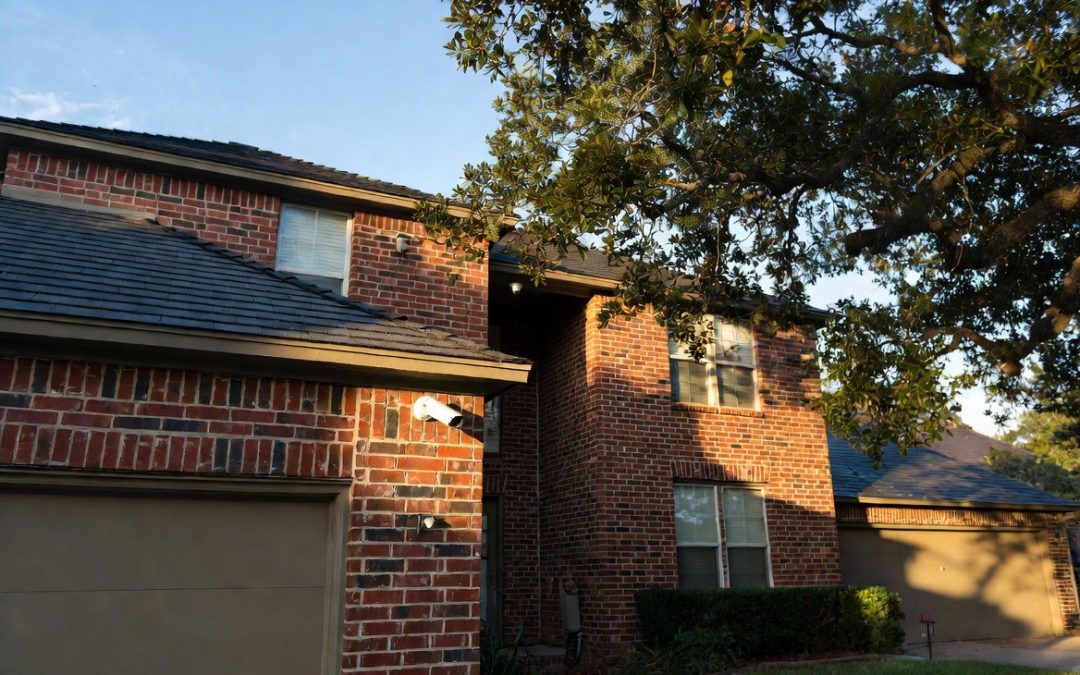
Direct Answer
Security camera installation in Houston typically costs $800 to $2,500 for a home system in 2026, with a national average around $1,290. Price depends on camera count, equipment, and cabling. Local packages start at $950 for four cameras installed. An exact quote requires an on-site walkthrough of your property.
TL;DR
- Most Houston home systems run about $800 to $2,500 installed; the national average is $1,290, ranging $590 to $2,040 [1][2]
- Per camera runs $125 to $450 installed; a 4-camera system is $800 to $1,600 and an 8-camera system $1,000 to $2,500 [3]
- Labor and equipment usually split close to evenly; labor is $80 to $200 per camera [3]
- Camera count, wired vs wireless, resolution, and property access drive the price
- In Texas, any company installing cameras for you must hold a security services contractor license [6]
- Financing and packages from $950 make the cost easier to manage [4]
One liner: Expect $800 to $2,500 for a professionally installed Houston home system, with local packages starting at $950 and a licensed installer required by Texas law.
Key Numbers
| Metric | Figure | Source (year) |
|---|---|---|
| National average install | $1,290 ($590 to $2,040) | Angi / HomeAdvisor (2026) |
| Per camera, installed | $125 to $450 | HomeGuide (2026) |
| Labor per camera | $80 to $200 | HomeGuide (2026) |
| 4-camera system | $800 to $1,600 | HomeGuide / Angi (2026) |
| 8-camera system | $1,000 to $2,500 | HomeGuide (2026) |
| Local starting package | $950 (4 cameras) | Dr Computer (2026) |
| Cloud storage | $3 to $25 / month | Security.org (2026) |
| Insurance discount | 5% to 20% | HomeGuide (2026) |
How Much Does Security Camera Installation Cost in Houston?
In short: Most Houston homes pay between about $800 and $2,500 for a professionally installed security camera system in 2026, depending on how many cameras you need and the equipment you choose. Simple packages start lower, and larger commercial jobs run higher.
Security camera installation in Houston usually costs between $800 and $2,500 for a complete home system. The national average sits around $1,290, with most projects landing between $590 and $2,040 [1][2]. Locally, Dr Computer Service & Security Cameras offers a starting package from $950 for four cameras with installation included [4], which gives Houston buyers a lower entry point than the national figures suggest.
That spread is wide for a reason. A single entry camera watching a front door is a different job from an eight-camera system covering a two-story home and a detached garage. Camera count is the biggest lever on your total, followed by equipment quality and how much cabling the install requires [3].
Here is a quick way to picture it. One or two cameras with a basic recorder might run a few hundred dollars. A four-camera package, the most common choice for a small or mid-size Houston home, typically falls in the $800 to $1,600 range once labor is included [1][3]. Move up to eight cameras for fuller coverage and you are generally looking at $1,000 to $2,500 [3].
Every number here is a planning estimate. Roof height, attic access, wall material, and the distance from each camera back to the recorder all shift the final quote. The only way to get an exact figure is a walkthrough, which is why most Houston installers, including Dr Computer, start with a free estimate before quoting. You can compare current security camera packages to see where your setup is likely to fall.
Cost Per Camera and by System Size in Houston
In short: Expect roughly $125 to $450 per camera installed, with labor alone at $80 to $200 per camera. A four-camera system typically runs $800 to $1,600 and an eight-camera system $1,000 to $2,500.
Most Houston quotes are built two ways: per camera, or as a packaged system. Per camera, installation runs about $125 to $450 each, and the labor portion of that is roughly $80 to $200 per camera depending on whether the run is wired or wireless [3]. In the Houston market specifically, installers often quote around $200 to $300 per camera, which sits inside that national band [9]. Equipment is the rest, and camera prices swing from around $50 for a basic unit to $250 or more for a high-resolution model with night vision.
Packaged systems are usually the better value, and there is a simple reason. When a crew mounts several cameras and pulls cable in one visit, the per-camera labor drops. Adding a fifth camera to a system you already own costs far less than starting fresh, because the recorder, wiring path, and setup are already in place.
Here is how typical installed costs break down by system size in the Houston market:
| System size | Typical installed cost | Common use |
|---|---|---|
| 1 to 2 cameras | $300 to $800 | Front door, single entry point |
| 4 cameras | $800 to $1,600 | Small to mid-size home (Dr Computer package from $950) [4] |
| 6 cameras | $1,500 to $3,000 | Larger home, added coverage |
| 8 cameras | $1,000 to $2,500 | Full perimeter |
| 16 cameras | $2,500 to $5,000+ | Commercial sites, warehouses, large properties |
These ranges include cameras, a recorder, mounting, and standard cabling [1][3]. They do not include add-ons like extra storage, a video monitor, or long cable runs across a big lot, which we cover in the hidden-costs section. A four-camera package remains the most popular starting point for Houston homeowners, and it maps directly to Dr Computer’s entry security camera packages.
Labor Cost vs Equipment Cost
In short: On most Houston installs, labor and equipment split close to evenly. Labor runs about $80 to $200 per camera, and the cameras themselves run about $50 to $250 or more each, depending on quality.
When you get a security camera quote, it bundles two things: the gear and the work to install it. Understanding the split helps you see where you can trim and where you should not.
Labor covers mounting each camera, running and concealing cable, setting up the recorder, and configuring remote viewing on your phone. That runs about $80 to $200 per camera [3]. Wired systems sit at the higher end because they take more work: drilling, pulling cable through walls or attic space, and neat cable management. Wireless cameras install faster, so their labor tends to land lower.
Equipment covers the cameras, the recorder that stores footage (an NVR for IP cameras or a DVR for analog), mounting hardware, and cable. Cameras themselves span a wide range, from around $50 for a basic model to $250 or more for a high-resolution unit with night vision and motion detection.
Here is how a typical four-camera job might break down:
| Cost component | What it includes | Typical share |
|---|---|---|
| Labor | Mounting, cabling, recorder setup, app configuration | 40 to 55% |
| Equipment | Cameras, NVR or DVR, mounts, cable | 45 to 60% |
Going the DIY route removes the labor line, but it does not remove the work. You take on the mounting, the cable runs, and the risk of blind spots from poor placement. For many Houston buyers, paying for professional labor is what turns a box of cameras into a system that actually covers the property. There is also a legal layer to professional labor in Texas, which we cover further down.
What Drives the Price in Houston
In short: Camera count sets the baseline, but wiring type, resolution and features, and how hard your property is to reach decide where you land in the range. Houston’s heat and humidity also nudge outdoor equipment costs up.
Two Houston homes on the same street can get quotes that differ by a thousand dollars. The gap usually comes down to a handful of factors. Here is what moves the number.
Wired vs Wireless
Wiring type is one of the biggest swings. Wired cameras cost about $150 to $500 per camera installed, while wireless cameras run about $130 to $400 per camera [3]. Wired systems ask for more labor because someone has to route cable through walls or the attic, but they reward you with a stable connection and no batteries to change. Wireless systems install faster and move easily, though they still need power at each camera and can be affected by signal interference. For a large or multi-story Houston home, wired often wins on reliability. For a rental or a quick add-on, wireless can save on labor.
Resolution and Features
The camera itself is a ladder, and each rung adds cost. A basic 1080p camera covers the essentials. Step up to 2K or 4K for sharper footage and license-plate or face detail, and the per-camera price climbs. Features stack on top: night vision, motion detection, two-way audio, and pan-tilt-zoom (PTZ) all raise the price. High-end cameras with these extras can reach $200 to $400 per camera including installation [1]. Storage is its own line: local recording on an NVR is a one-time cost, while cloud storage typically runs $3 to $25 per month per plan [5].
Camera Types and What They Cost
The style of camera also shapes the price. Here is a quick reference [11]:
| Camera type | Best for | Relative cost |
|---|---|---|
| Bullet | Driveways, long-range outdoor views | Low to mid |
| Dome | Entrances, discreet indoor or outdoor use | Low to mid |
| Turret | General outdoor coverage, less glare | Mid |
| PTZ | Wide areas you want to pan and zoom, commercial | High |
Property Size and Access
Coverage drives count, and access drives labor. A single-story home with an accessible attic is quick to wire. A two-story brick home with no attic path, high eaves, or a detached garage takes longer, and that time shows up in the quote. Long cable runs across a big lot add material and labor too. In Houston, outdoor cameras also need to handle heat and humidity, so weather-rated units are worth the small premium to avoid early failure.
Here is a quick reference for how each factor pulls on price:
| Cost driver | Effect on price | Why |
|---|---|---|
| More cameras | Higher total, lower per-camera | Volume spreads labor across the job |
| Wired vs wireless | Wired adds labor | Cable routing and concealment |
| Resolution and features | Higher per camera | 4K, night vision, PTZ cost more |
| Property access | Higher labor | Height, wall material, cable distance |
| Storage choice | One-time or recurring | Local NVR vs monthly cloud fees |
Home vs Commercial Camera Costs
In short: Home systems usually run 4 to 8 cameras and $800 to $2,500. Commercial systems often need more cameras plus network wiring, which commonly pushes a small-to-mid business system to $2,000 to $8,000.
Residential and commercial jobs price differently because they solve different problems. A home needs to watch entrances and the perimeter. A business needs to cover a sales floor, storage, entrances, a parking lot, and sometimes a point-of-sale area, all at once.
For a Houston home, four to eight cameras usually does the job, landing most systems between $800 and $2,500 installed [1][3]. Commercial sites scale up fast. A small to mid-size Houston business running 4 to 12 cameras commonly lands between $2,000 and $8,000, and larger facilities with multiple buildings or complex wiring go higher still [12]. The cameras themselves are often higher grade too, built for wider coverage and longer runtime.
The other cost that shows up on commercial jobs is network infrastructure. Business systems frequently need structured cabling and network wiring to tie cameras, recorders, and remote access together across a bigger footprint. Dr Computer handles commercial network wiring for businesses alongside camera installation, covering warehouses, retail stores, hotels, healthcare facilities, restaurants, gas stations, and dealerships.
| Factor | Residential | Commercial |
|---|---|---|
| Typical camera count | 4 to 8 | 8 to 16+ |
| Typical installed cost | $800 to $2,500 | $2,000 to $8,000+ |
| Cabling | Standard runs | Structured network wiring |
| Licensing | Licensed installer advised | Licensed installer required |
One point matters more for businesses: in Texas, a company that installs or services a commercial camera system must be licensed. We cover exactly what that means next.
Hidden Costs to Watch For
In short: The camera and install quote is not always the whole story. Cloud storage, monitoring fees, long cable runs, and add-ons like a monitor or extra storage can add $150 to $200 up front and $3 to $25 a month after.
A good quote is itemized, but plenty of buyers get surprised by costs that live outside the headline number. Knowing them ahead of time keeps your budget honest.
The most common surprise is recurring fees. Cloud storage for footage typically runs $3 to $25 per month depending on how many cameras and how many days of history you keep [5]. Professional monitoring, if you add it, is a separate monthly charge on top. Local recording to an NVR or DVR avoids the monthly fee, but it is a one-time hardware cost you will want confirmed in the quote.
Then there are the one-time extras. Budget around $150 to $200 for add-ons like a dedicated video monitor or extra recording storage [1]. Long cable runs across a big Houston lot add material and labor. A camera at the end of a long driveway or on a detached garage can need a hundred feet of cable or more, and that shows up on the bill.
Watch for these lines before you sign:
- Monthly cloud storage or footage retention fees
- Professional monitoring subscription, if added
- Extra hard-drive storage beyond the base recorder
- A video monitor or display, if you want one
- Long cable runs, high mounts, or difficult surfaces
- A new power outlet or network upgrade, if your setup needs it
- Service calls and maintenance once the warranty ends
None of these are hidden if you ask for an itemized quote up front. A reputable Houston installer will walk you through each line before any work starts, so you can compare quotes on equal footing. When in doubt, request a written breakdown and a free quote that spells out one-time versus recurring costs.
Does Texas Require a Licensed Installer?
In short: Yes. In Texas, any company that sells, installs, or services a security camera system for others must hold a security services contractor license from the Texas Department of Public Safety. This applies to homes and businesses, not only public property.
You will see claims online that a license is only needed for cameras on public property. That is outdated and wrong. Under the Texas Occupations Code Chapter 1702, the Private Security Act, a person acts as a camera systems company if they sell, install, or service a closed circuit television or still camera system, or offer to do so, and they may not do that work without a license as a security services contractor [6]. This was added by House Bill 75, with registration and endorsement required as of January 1, 2014 [6].
The real distinction is not home versus public property. It is who does the work. If you own and install cameras on your own property, you are exempt [6]. The moment you hire a company to install for you, whether it is a house or a warehouse, that company has to be licensed. The same goes for the individual installer, who needs the proper endorsement under the act [6].
Why this matters for your cost and your safety: licensing exists because these installers get access to your property and can often view your system remotely. The law was written so that camera installers face the same background checks and insurance requirements as alarm companies [6]. A licensed installer carries liability insurance and gives you recourse if the work is poor. That protection is part of what you pay for with professional installation, and it is a fair question to ask any bidder: are you licensed with the Texas Private Security Bureau [7]?
One more legal point that affects setup choices. Texas Penal Code Section 16.02 restricts recording oral communication without consent [8]. If you plan to enable audio on your cameras, talk to your installer about where audio is and is not appropriate.
Dr Computer Service & Security Cameras is an established Houston installer that has worked in residential and commercial security since 2008. When you request a quote, you can confirm current licensing directly as part of your due diligence.
Financing and Payment Options
In short: Yes, you can finance a security camera system in Houston. Dr Computer Service & Security Cameras offers financing and budget-friendly packages, so you can spread the cost into monthly payments instead of paying the full amount up front.
A security system is an investment, and not everyone wants to pay for it in one lump sum. That is where financing helps. Instead of covering the whole cost at install, you split it into monthly payments that fit your budget.
Dr Computer offers security camera financing along with affordable packages built to keep protection within reach [4]. Paired with the starting package from $950 for four cameras, financing turns a several-hundred-dollar or four-figure project into a predictable monthly line instead of a single hit to your account.
If you are searching for the cheapest possible install, it is worth shifting the question slightly. The lowest sticker price often means fewer cameras, lower-resolution gear, or a DIY setup with coverage gaps. Financing lets you get the coverage you actually need now and pay it down over time, which usually beats buying too little and paying again later to fix it.
When you look at financing, a few questions are worth asking any installer:
- Is there a down payment, and how much?
- What is the term length, and are there monthly minimums?
- Does the plan cover equipment only, or installation too?
- Are there fees for paying it off early?
You can compare current affordable packages and financing together to find the combination that fits your budget without cutting the coverage you came for.
Is Professional Installation Worth It?
In short: Professional installation is worth it when you want full coverage, a clean install, and a warranty, or when someone else is doing the work, since Texas law requires that person to be licensed. DIY can make sense for one or two simple wireless cameras.
The honest answer is that it depends on the job. A single wireless doorbell camera is a reasonable DIY project. A multi-camera system that has to cover every entrance, corner, and blind spot is where a professional earns their fee.
DIY saves the labor line, roughly $80 to $200 per camera [3]. What it costs you is time and the risk of getting placement wrong. Cameras aimed a few degrees off can miss a driveway or leave a gap by the side gate. A professional plans coverage first, mounts and aims each camera for it, conceals the cabling, and sets up remote viewing so it works on your phone. You also get a warranty and someone to call when something fails. A quality professional install commonly lasts 7 to 10 years, which spreads the cost across many years of service [10].
There is a financial upside too. Many insurers offer a discount of 5% to 20% for a monitored or professionally installed security system, which chips away at the cost over time [3]. And in Texas, the choice is not fully open: if you hire anyone to install for you, the law requires that company to be licensed, as covered earlier.
Here is a quick way to decide:
| Situation | Better fit |
|---|---|
| 1 to 2 simple wireless cameras | DIY is reasonable |
| Whole-home or perimeter coverage | Professional |
| Wired system with cable runs | Professional |
| Business or commercial site | Professional (and legally required) |
| You want a warranty and support | Professional |
For most Houston homes past a camera or two, professional installation pays for itself in coverage you can trust and time you do not spend on a ladder.
How to Get an Accurate Houston Quote
In short: The only way to get an exact price is a walkthrough of your property. Come prepared with your camera count, problem areas, and budget, and ask for an itemized quote that separates equipment, labor, and any monthly fees.
Every number in this guide is a planning range. Your real price depends on your property, and that is a good thing, because it means the quote is built for your home or business instead of a generic average.
A little prep makes the quote faster and more accurate. Before you reach out, jot down:
- How many entrances and blind spots you want covered
- Whether you lean wired or wireless
- Any tricky spots (high eaves, a detached garage, a long driveway)
- Whether you want indoor, outdoor, or both
- Your rough budget and whether you want financing
A good quote comes back itemized. You should see equipment, labor, storage, and any recurring fees as separate lines, so you can compare bids fairly. If one quote looks far cheaper, check whether it uses fewer cameras or lower-resolution gear, or leaves out storage. Comparing on equal footing is how you avoid paying twice.
When you are ready, Dr Computer Service & Security Cameras offers a free security camera quote for Houston homes and businesses. You can start from the $950 four-camera package and scale to fit your property. Call (281) 809-7076 or request a quote online, and you will get a clear, itemized estimate before any work begins.
Frequently Asked Questions
How much does security camera installation cost in Houston?
Most Houston homes pay between about $800 and $2,500 for a professionally installed system in 2026. The national average is around $1,290. Local packages start at $950 for four cameras including installation.
How much does it cost per camera?
Installation runs about $125 to $450 per camera, with labor alone at $80 to $200 per camera. In Houston, installers often quote $200 to $300 per camera.
What does a 4-camera or 8-camera system cost in Houston?
A 4-camera system typically runs $800 to $1,600 installed, and an 8-camera system runs $1,000 to $2,500. A 6-camera system falls around $1,500 to $3,000.
Does Texas require a licensed installer for security cameras?
Yes. Under the Texas Occupations Code Chapter 1702, any company that sells, installs, or services a camera system for others must hold a security services contractor license. Homeowners installing on their own property are exempt.
Can I finance a security camera system in Houston?
Yes. Dr Computer Service & Security Cameras offers financing and budget packages, so you can spread the cost into monthly payments instead of paying up front.
Do I need a permit to install security cameras in Houston?
Most residential camera installs do not require a permit. Some commercial jobs involving electrical or network work may, so confirm with your installer during the quote.
How long does security camera installation take?
A typical 4-camera home install takes a few hours to most of a day. Larger or wired systems with long cable runs take longer.
Can I add cameras to my system later?
Yes. Adding cameras to an existing system costs less than a fresh install because the recorder, wiring path, and setup are already in place.
Sources
- Angi, How Much Does Security Camera Installation Cost in 2026, 2026
- HomeAdvisor, How Much Does Security Camera Installation Cost in 2026, 2026
- HomeGuide, Security Camera Installation Cost, 2026
- Dr Computer Service & Security Cameras, company website, 2026
- Security.org, How Much Do Security Cameras Cost in 2026, 2026
- Texas Legislature, House Bill 75 and Texas Occupations Code Chapter 1702, capitol.texas.gov
- Texas Department of Public Safety, Private Security Bureau, dps.texas.gov
- Texas Penal Code, Section 16.02
- Angi, Security Camera Installation Cost in Houston TX, 2026
- Savvy Security Cameras, Security Camera Installation Cost in Houston, 2025
- MESA Alarm Systems, Houston Security Camera Installation, 2025
- City Security Services, Commercial Security Camera Installation Houston, 2026